DreamMachine AI 上的 Seedance 2.0 AI 影片生成器 很適合在你想用清楚的自然語言提示、產品照片、參考圖片或起始幀想法,快速生成短篇 AI 影片時使用。這份實用指南提供給創作者、行銷人員、社群影片剪輯者、產品賣家,以及想要更好 Seedance 2.0 提示詞 的 AI 影片新手,讓你不用從零猜測。
請把下面的範例當作可直接複製使用的起點,用於電影感場景、產品影片、UGC 風格廣告、社群短片,以及 Seedance 2.0 圖生影片工作流程 測試。AI 影片輸出可能會因模型版本、來源圖片、提示詞清晰度、時長、比例與動作複雜度而不同,因此在發布前務必逐一檢視每個結果。

Seedance 2.0 在 DreamMachine AI 上能幫你做什麼
當你的影片想法具備一個明確主體、一個可見動作,以及模型能遵循的鏡頭指令時,Seedance 2.0 最有用。在以瀏覽器為基礎的 DreamMachine AI 工作流程中,這可能代表:保養品開箱/亮相、咖啡生活感鏡頭、無臉學習片段、電影感旅行瞬間,或用於社群廣告的短版產品示範。
對創作者而言,Seedance 2.0 很適合用在 Reels、TikTok 影片、Shorts、氛圍短片與快速 B-roll 概念。對行銷人員與產品賣家而言,它能把產品照或提示詞轉成可測試的影片方向,在投入更大規模拍攝前先驗證。對新手而言,它提供一套結構化方式,學習場景、動作、鏡頭、光線、情緒與音訊如何影響 Seedance 2.0 影片生成。
最佳成果通常來自簡單動作:瓶子放在大理石上,鏡頭慢慢推近;創作者調整檯燈;咖啡冒出蒸氣;旅人站在湖邊,外套被風吹動。這些比起同時要求多次剪接、多個地點、角色變換與複雜變形的提示詞,更容易控制。

如何使用 DreamMachine AI 進行 Seedance 2.0 影片生成
如果你想用簡單的瀏覽器流程來測試 Seedance 2.0 與其他 AI 影片模型,DreamMachine AI 是很實用的選擇。當你明確要用 Seedance 2.0 時,從 Seedance 2.0 模型頁 開始;若你想比較文字與圖片流程,則使用更廣泛的 AI 影片生成器。
使用以下流程:
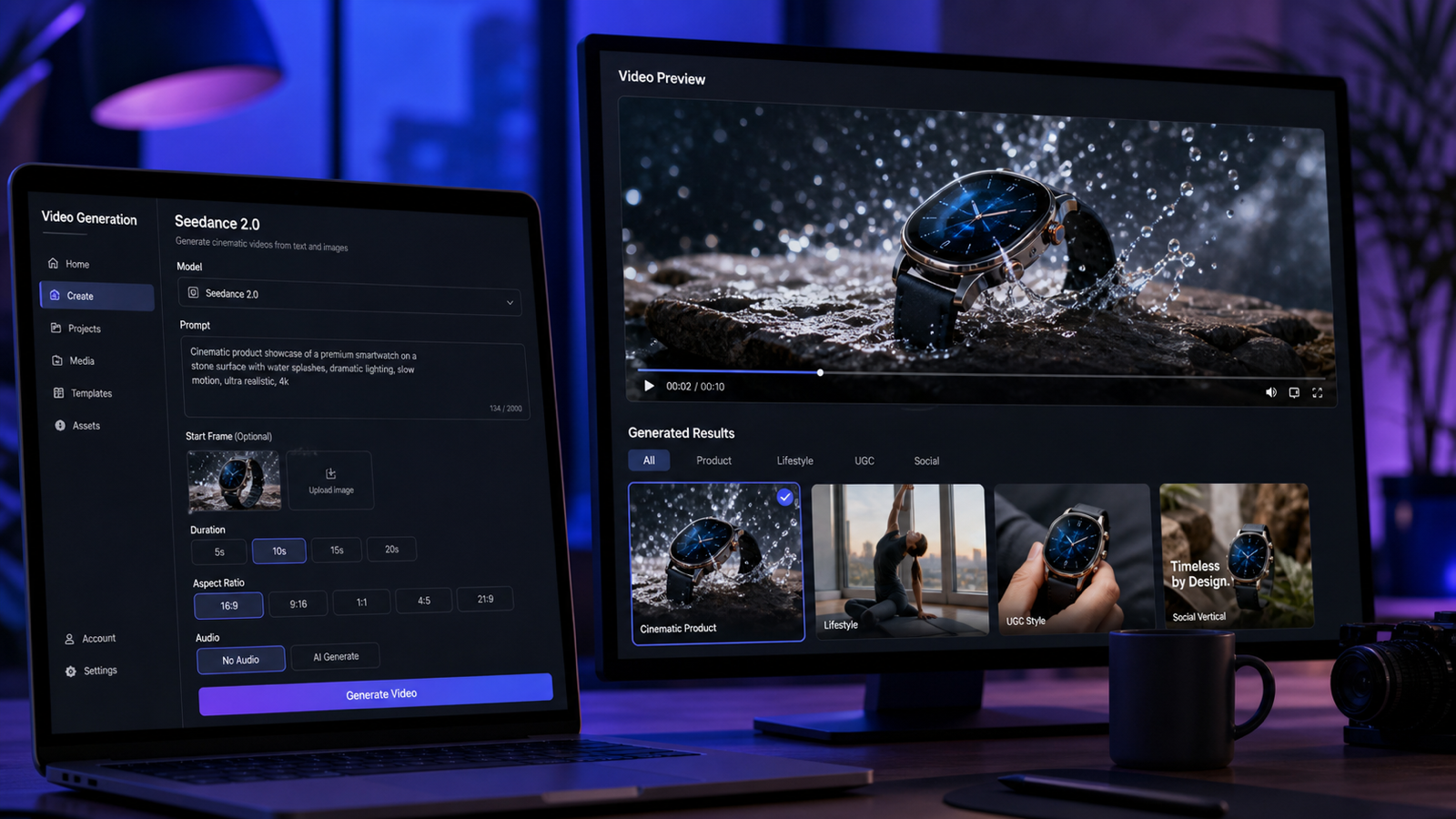
- 開啟 DreamMachine AI,選擇 Seedance 2.0 作為模型。
- 若需要視覺一致性,上傳起始圖片、參考圖片或產品照片。
- 撰寫包含場景、主體、動作、鏡頭、光線、情緒、音訊、時長與格式的提示詞。
- 依平台設定比例:TikTok、Reels、Shorts 用 9:16;YouTube 與網頁嵌入用 16:9;方形社群貼文用 1:1。
- 選擇符合概念的時長。動作簡單時,短片段往往更容易控制。
- 生成影片。
- 檢查片段的主體一致性、產品準確度、鏡頭行為、動作流暢度、音訊契合度與乾淨構圖。
- 透過簡化動作、強化參考圖,或提供更清楚的鏡頭與光線指令來優化提示詞。
這套可重複的 AI 影片生成工作流程 比起期待第一次輸出就完美更可靠。把每次生成當作草稿:比較不同變化,再用剪輯工具處理字幕、配樂、最終節奏與發布檢查。

可重複使用的 Seedance 2.0 提示詞指南公式
有用的 Seedance 2.0 提示詞指南 應從製作細節開始,而不是模糊形容詞。模型需要知道畫面中可見什麼、什麼會動、鏡頭怎麼拍,以及片段要傳達什麼氛圍。
複製以下公式:
Create a [duration] Seedance 2.0 AI video for [use case].
Scene: [subject] in [setting].
Action: [one clear motion or event].
Camera: [slow push-in / handheld / orbit / close-up / overhead / tracking shot].
Lighting: [natural / cinematic / studio / warm / neon / dramatic].
Mood: [realistic / UGC-style / luxury / emotional / playful / educational].
Audio: [ambient sound / voiceover / subtle music / product sound / no dialogue].
Format: [9:16 / 16:9 / 1:1].
Keep subject consistency, smooth motion, realistic camera behavior, and clean composition.
針對 Seedance 2.0 文生影片提示詞,要定義完整場景,因為模型沒有視覺錨點。針對 Seedance 2.0 圖生影片提示詞,要描述哪些應該 움직、哪些要保持一致:產品形狀、臉部朝向、穿搭細節、背景、鏡頭路徑或光線。

14 個可直接複製使用的 Seedance 2.0 提示詞(給創作者與賣家)
以下提示詞涵蓋產品影片、社群短片、生活風格場景與電影感概念,作為實用的 AI 影片提示詞範例。請依你的專案替換產品、比例、時長、來源圖片與 CTA(行動呼籲)細節。
1. 保養精華產品影片
Create a 9:16 Seedance 2.0 product video for a skincare serum. The bottle sits on a marble bathroom counter with soft morning light and water droplets. Camera slowly pushes in while gentle steam moves in the background. Luxury but natural mood, subtle ambient sound, clean caption space.
最適合美妝品牌、上市貼文與產品頁影片測試。
2. 隨身果汁機 UGC 影片
Create a UGC-style video for a portable blender. A creator adds fruit and milk, blends quickly, pours the smoothie into a glass, and smiles at the camera. Handheld phone-camera style, bright kitchen lighting, realistic motion, cheerful social ad mood.
最適合用於 AI 產品影片生成器 測試,且產品動作容易看清楚的情境。
3. 電影感球鞋產品影片
Generate a cinematic sneaker product video. A futuristic sneaker rotates on a dark studio platform, blue rim lighting, reflective floor, slow orbit camera, smooth motion, premium commercial style, no readable brand text.
最適合高端產品概念與 Seedance 2.0 電影感影片提示詞。
4. 服飾試穿影片
Create a fashion try-on video. A model stands in a minimalist studio, turns slowly toward the camera, and the outfit fabric moves naturally. Soft studio lighting, elegant editorial mood, realistic body movement, preserve clothing consistency.
最適合服飾賣家在正式拍攝前測試服裝動態。
5. 書桌改造影片
Create a desk transformation video. A messy workspace becomes clean and organized as notebooks, keyboard, and coffee are arranged neatly. Overhead camera, satisfying quick cuts, natural daylight, calm productivity mood.
最適合無臉效率型內容與社群剪輯測試。
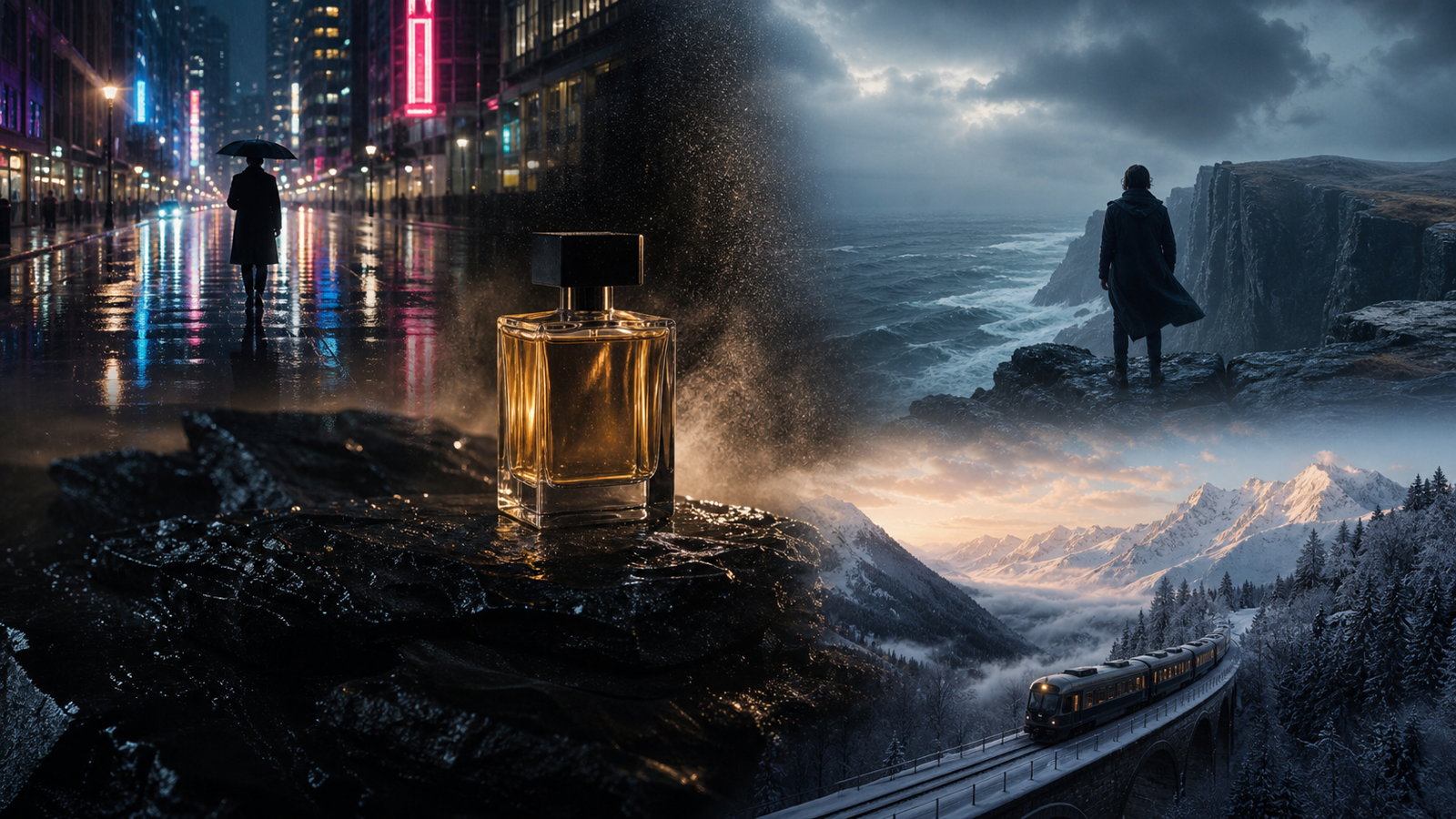
6. 香水產品亮相
Generate a perfume product reveal. A perfume bottle sits on a reflective surface with soft flower petals around it. Slow camera tilt, pink and gold lighting, elegant luxury mood, subtle sparkle sound, clean composition, no readable brand text.
最適合上市預告、品牌情緒板與精緻產品概念。
7. 旅行回憶影片
Create a travel memory video. A person stands beside a mountain lake at sunset, jacket moving slightly in the wind, slow push-in camera, cinematic color grading, emotional atmosphere, soft natural ambience.
最適合旅行創作者與情緒型生活風格剪輯。
8. 寵物產品 UGC 影片
Create a pet product UGC video. A pet owner gently brushes a calm dog on the living room floor. Show the brush, loose fur, and a happy pet moment. Warm home lighting, realistic handheld camera, friendly social ad mood, avoid medical claims.
最適合想呈現溫暖、實用但避免高風險宣稱的寵物產品示範。
9. 咖啡生活風格影片
Generate a coffee lifestyle video. A hot coffee cup sits on a wooden cafe table while steam rises and sunlight moves across the surface. Slow cinematic pan, warm lifestyle mood, soft cafe ambience, realistic steam motion.
最適合咖啡店、晨間日常貼文與 AI 短影片生成器 測試。
10. 可攜式 LED 檯燈教學
Create a product tutorial video for a portable LED lamp. A creator turns on the lamp beside a book, adjusts brightness, and moves it from desk to bedside table. Warm lighting, soft shadows, clear product action, cozy nighttime mood.
最適合功能型產品,且主要賣點能在單一片段展示清楚的情境。
11. 電影感故事場景
Create a cinematic story scene. A young traveler opens an old map under a streetlamp at night, light rain falling, camera slowly circles, moody city background, realistic reflections, quiet ambient sound, film trailer mood.
最適合電影風氛圍測試、預告片概念與敘事型 B-roll。
12. 手機支架 UGC 影片
Generate a UGC video for a phone stand. A student places the stand beside a laptop, adjusts the angle, and joins a video call. Natural study-room lighting, close-up product shots, casual creator pacing, friendly voiceover style.
最適合桌面配件、學生創作者與輕鬆的產品示範。
13. 抹茶食物特寫
Create a food close-up video. Matcha pours into milk over ice, the creator stirs slowly, and condensation forms on the glass. Close-up camera, bright natural light, satisfying liquid motion, gentle kitchen sounds.
最適合美食創作者與液體動態重點測試的特寫片段。
14. 無臉讀書影片
Create a faceless study video. Hands open a notebook, write a to-do list, place a coffee beside the laptop, and turn on a desk lamp. Overhead camera, warm lighting, calm productivity mood, soft ambient music.
最適合 study-with-me 貼文、無臉頻道與安靜效率剪輯。
這些 文生影片提示詞範例 在你保持主體可見、動作聚焦時效果最好。如果提示詞看起來太忙,請拆成多個片段,再把最強的輸出剪在一起。

Seedance 2.0 圖生影片與文生影片提示詞工作流程
當視覺一致性很重要時,使用 圖生影片 AI 生成器 工作流程。產品賣家可以上傳產品照;時尚團隊可以上傳穿搭圖片;創作者可以先上傳參考幀,再請 Seedance 2.0 加入鏡頭運動、環境動態或小幅產品動作。
好的 給創作者的圖生影片提示詞 會說明「什麼要動」以及「什麼要保持穩定」。例如:「保持香水瓶形狀一致、加入慢速環繞鏡頭、讓花瓣輕微移動,並維持柔和粉金光。」這與文生影片不同;文生影片的提示詞必須從零描述整個場景。
當你沒有既有圖片、想探索新的故事點子、電影感場景、無臉片段或社群 B-roll 概念時,使用 文生影片 AI 工作流程;此時要提供更多場景細節:主體、場景、動作、鏡頭移動、光線、情緒、音訊、格式與構圖。
如果你想 用 AI 把圖片變影片,請從乾淨的來源圖片開始,並要求一個清楚動作。如果你想用文字提示生成 AI 影片,第一版先保持簡單,之後再依模型表現進行微調。

第一個結果不對時,如何優化 Seedance 2.0 提示詞
提示詞優化是多數 Seedance 2.0 影片變好的關鍵。如果第一次輸出接近但不可用,不要只加更多形容詞。請透過釐清主體、降低動作複雜度、給出單一鏡頭指令,讓需求更容易執行。
使用以下修正方式:
- 若主體變來變去:上傳更清楚的起始圖片,並要求模型保留產品、穿搭、人物或物件。
- 若動作看起來混亂:把片段縮減為單一動作:倒、旋轉、打開、走路、攪拌、調整、亮相、推近。
- 若鏡頭感覺隨機:指定一種鏡頭運動:慢速推近、手持、環繞、特寫、俯拍或跟拍。
- 若產品不夠清楚:要求置中的特寫、乾淨背景與字幕留白。
- 若生成文字不可靠:要求不要出現可讀文字,字幕在剪輯軟體中再加。
- 若片段對概念太長:縮短時長或把概念拆成多個鏡頭。
- 若氛圍不對:同時定義光線與音訊,例如溫暖檯燈搭配柔和環境音樂。
實用規則很簡單:先為清晰度而改,再增加複雜度。一份強而有力的 DreamMachine AI 提示詞指南 應該告訴模型要保留什麼、要動什麼,以及鏡頭應如何表現。

商用 AI 影片發布前檢查
AI 影片片段即使視覺上可用,在商用前仍需要法律、編輯與平台層面的審查。發布生成影片前,請檢查每個來源素材、音訊選擇、產品敘述與投放渠道背後的權利與主張。
請檢查以下項目:
- 商用使用權:確認 DreamMachine AI 的條款、方案限制、匯出權利,以及你專案用途是否允許。
- 來源素材:確保你對上傳的產品照片、參考圖片、Logo、包裝、影片與音訊擁有使用權。
- 產品宣稱:避免你無法佐證的醫療、財務、美容、健身、永續、安全或性能宣稱。
- 音樂與音訊權利:確認旁白、上傳音訊、音樂或音效是否可商用。
- 平台政策:發布或投放付費活動前,先檢查 TikTok、Instagram、YouTube、廣告平台與電商平台規範。
- 隱私設定:需要時,將敏感產品、客戶或未公開活動測試設為私密。
- 品牌安全:檢查手部、臉部、背景物件、可見文字、非預期 Logo 與誤導性暗示。
對於用於社群的 AI 影片生成器 來說,這項提醒特別重要,因為社群廣告節奏很快。片段可能看起來已完成,但仍需要合規審查、權利確認、產品宣稱驗證與剪輯後,才適合放上品牌渠道。

Seedance 2.0 與 AI 影片工作流程推薦文章
當你想比較不同模型流程、提升提示詞品質,或在 DreamMachine AI 上建立更完整的 AI 影片製作流程時,可參考以下文章。
相關文章:
- Seedance 2.0 Video Generation Guide: How to Create Better AI Videos
- The Release of Seedance 2.0: What Dropped, What's New, and What Creators Should Do Next
- How to Use DreamMachine AI's AI Video Generator: A Practical Guide for Text and Image Workflows
- Wan 2.7 Prompt Tips: How to Make AI Videos Feel More Human and Realistic
- PixVerse V6 AI Video Generation: A Creator-Friendly Guide to Better Prompts, Cleaner Motion, and Smarter Results
- Try Veo 3.1 in Dream Machine AI: A Practical Guide to Text-to-Video and Image-to-Video Creation
讀者也常閱讀:
- Seedance 2.0 Video Generation Guide: Tutorial + Prompts
- Seedance 2.0 Prompt Tips for More Human, Realistic AI Video
- Seedance 2.0 for TikTok Videos: How Creators Can Turn Ideas Into Scroll-Stopping Clips
- Seedance 2.0 API Guide: How to Use Flaq AI for Faster Text-to-Video Workflows
- How to Use Seedance 2.0 on SeaImagine AI to Make Better Short Videos
- Seedance 2.0 Video Generation Guide: How to Get Controlled, Consistent Results

FAQ:DreamMachine AI 上的 Seedance 2.0 提示詞
什麼樣的 Seedance 2.0 提示詞算好?
好的 Seedance 2.0 提示詞會定義主體、場景、一個明確動作、鏡頭移動、光線、情緒、音訊、比例、時長與一致性目標。它應該像一份簡短的製作簡報,而不是鬆散的想法。
我該用文生影片還是圖生影片?
當你要從零探索新點子時,用文生影片。當產品形狀、角色外觀、穿搭、背景或起始幀一致性很重要時,使用 AI 圖片轉影片生成器 或圖生影片工作流程。
我可以用 Seedance 2.0 做產品影片嗎?
可以。Seedance 2.0 對產品影片概念、社群廣告、教學草稿與圖生影片測試很有幫助。商用發布前,請先確認權利、宣稱、平台規範、隱私設定與音訊授權。
為什麼同一個提示詞會產出不同結果?
AI 影片輸出可能因模型版本、提示詞措辭、來源圖片品質、時長、比例、隨機生成行為與動作複雜度而變動。請保存表現好的結果,並從最接近目標的版本開始細修。
如何讓 Seedance 2.0 影片更真實?
保持場景簡單、只用一個主要動作、指定寫實的鏡頭行為、避免過多變形,並提供明確的光線指令。如果你上傳圖片,請描述哪些要動、哪些要保持視覺一致。

結論:建立可重複的 Seedance 2.0 AI 影片生成工作流程
使用 Seedance 2.0 AI 影片生成器 的最佳方式,是建立一套可重複的工作流程:選擇模型、需要時上傳參考圖片、撰寫結構化提示詞、設定比例與時長、生成、檢視、再優化。本指南的提示詞為你提供產品片段、UGC 風格廣告、電影感場景、社群影片與圖生影片測試的起點。
對想在不建立複雜工具鏈的情況下測試 Seedance 2.0 與其他 AI 影片模型的創作者而言,DreamMachine AI 是很實用的瀏覽器選項。從一個簡單點子開始,保持主體一致,並根據前一次輸出實際呈現的內容逐步改進每一版。