Seedance 2.0 landed with the kind of momentum you don’t usually see for a model release: creators posting “how is this even real?” clips, marketers doing cost math in public, and a lot of filmmakers quietly testing whether it can hold a shot without falling apart.
If you’re reading this as a creator, you probably don’t need hype — you need answers:
- What exactly is Seedance 2.0?
- What changed compared with Seedance 1.0?
- What should you test first so you don’t waste time?
Let’s break it down like a practical release guide, not a press release.
What Seedance 2.0 is (in plain English)
Seedance 2.0 is a multimodal AI video model from ByteDance’s Seed team.
“Multimodal” is the important word. Instead of relying only on text prompts, Seedance 2.0 is designed to accept multiple kinds of inputs — typically combinations of:
- Text (your instructions)
- Images (identity, product shot, keyframe)
- Video (motion reference, shot style)
- Audio (when supported, for rhythm and audio-video coherence)
Why that matters: most “AI video weirdness” comes from the model guessing what you meant. When you give it references, you reduce guessing and increase direction.
Release snapshot: what was announced and why it blew up fast
Seedance 2.0’s release became a headline because it’s being positioned as professional-grade — useful not just for hobby clips, but for real production pipelines like:
- Short-form ads and e-commerce visuals
- Branded social content
- Previs / concept shots for film and TV
It also drew attention because early viral examples showed the model handling more complex shots than people expect from “prompt-only” video: tighter camera behavior, more consistent performance, and less of the classic “turns into a different person mid-shot” problem.
In other words: it didn’t look like a toy.
What’s actually new in Seedance 2.0 (creator-friendly breakdown)
Here are the upgrades that matter in practice — explained in creator terms.
1) Unified audio-video generation (less mismatch)
In many toolchains, the video is generated first and audio gets glued on later.
Seedance 2.0’s big claim is a more unified approach: it can process audio and video together as part of the same system. When this is implemented well in a product UI, it tends to mean:
- Better timing between motion beats and audio beats
- Less “random vibe shift” between what you hear and what you see
Even if you’re not generating final audio with it, that tighter timing can make the video feel more intentional.
2) More comprehensive “reference + editing” workflows
Seedance 2.0 is frequently discussed as being stronger at reference-driven creation — especially when you want:
- The same character across multiple clips
- The same product with controlled motion
- A shot that follows a known camera move
If your workflow is “make 10 ad variants that still feel like the same brand,” this is the kind of upgrade you care about.
3) Better shot logic (what viewers call ‘cinematic’)
“Cinematic” gets overused, so here’s a concrete definition:
- The camera behaves like a real camera (not teleporting)
- Motion has believable acceleration/deceleration
- Lighting doesn’t randomly change every second
Seedance 2.0’s early examples suggest improvements here — which is why it’s being tested for film-style shots and commercial-grade product visuals.
Seedance 2.0 vs Seedance 1.0: a quick comparison
Here’s the simplest way to think about it:
Seedance 1.0
- Strong prompt-first generation
- Solid for quick concepts and multi-shot ideas
- Great when you just want “give me a clip that matches this description”
Seedance 2.0
- More emphasis on multimodal control (references + editing)
- Better fit for repeatable production workflows
- More useful for ad pipelines where consistency matters
If Seedance 1.0 feels like “a powerful generator,” Seedance 2.0 is closer to “a controllable system.”
Why it went viral: the real reasons (not just hype)
A release goes viral when it hits at least two of these:
- It looks expensive (like something that usually costs a crew)
- It’s easy to show (people can post a single clip and get the point)
- It changes the cost curve (brands immediately see what it means for content volume)
Seedance 2.0 checks all three — especially for short-form video where speed and variation matter more than perfect, feature-film-level detail.
What creators can do with it this week
Let’s map use cases to real creator goals.
UGC-style ads (the highest ROI use case)
What works best:
- One product
- One action
- Simple camera behavior (handheld, tripod, slow push-in)
- Realistic lighting
What you get:
- Fast variations (new angles, different rooms, different actors)
- A/B testing for hooks and pacing
E-commerce visuals (product-first clips)
What works best:
- A clean product image as reference
- Minimal background complexity
- Short “hero motion” shots (rotate, slide, lift, sparkle)
What you get:
- Product teasers
- Seasonal promos without re-shooting
Cinematic shorts (mood-driven storytelling)
What works best:
- One strong shot instead of a whole plot
- Clear camera language
- “Emotion + environment” prompts
What you get:
- Previs-quality scenes
- Story moodboards
Previs / storyboards (the underrated workflow)
What works best:
- Treat it as visual exploration, not final footage
- Test blocking, framing, lighting mood, shot movement
What you get:
- Faster iteration with your team
- Less time spent arguing in abstract terms
A 15-minute checklist (the fastest way to judge the model)
If you do only one thing, do this.
Test A — Prompt adherence (3 minutes)
Goal: does it follow a simple action?
- Subject: one person
- Action: one movement
- Camera: one move
Test B — Identity stability (4 minutes)
Goal: does a character stay consistent?
- Use one reference image (if available)
- Ask for subtle motion only
Test C — Motion stress test (4 minutes)
Goal: can it handle “hard” motion?
- Walking + turning
- Cloth movement
- A hand interacting with an object
Test D — Artifact check (4 minutes)
Goal: can you spot “AI tells” quickly?
- Warped text
- Melting fingers
- Shifting faces
- Flickering textures
If it passes A and B, it’s usually viable for ads. If it passes C, it’s a stronger contender for cinematic shots.
Ready-to-use prompt mini-pack (copy/paste)
These are written to be short, stable, and easy to remix. Swap the bracketed fields and keep everything else the same.
1) Beginner stable prompts
Prompt 1 — Documentary realism
“A person in a modern home office typing on a laptop, natural window light, documentary style. Camera: medium shot, slow dolly in. Style: realistic, soft film grain. Constraints: stable framing, no sudden zoom, no extra objects.”
Prompt 2 — Product hero close-up
“A sleek [product] on a clean tabletop, subtle reflections, soft studio lighting. Camera: close-up, smooth gimbal slide left. Style: premium commercial, shallow depth of field. Constraints: keep product shape stable, no warping, no text.”
2) Product demo / UI prompts
Prompt 3 — UI scroll walkthrough
“A dashboard interface with smooth scrolling, cursor clicking through features, highlighting key metrics with subtle animations. Camera: fixed screen capture look. Style: clean tech commercial. Constraints: stable layout, minimal distortion, no random zoom.”
Prompt 4 — App CTA moment
“A mobile app screen demo: cursor taps the main CTA, a simple success animation plays, then the view holds for readability. Camera: stable, no shake. Style: minimal and modern. Constraints: avoid warped text, keep UI consistent.”
3) Cinematic prompts
Prompt 5 — ‘One strong shot’ cinematic
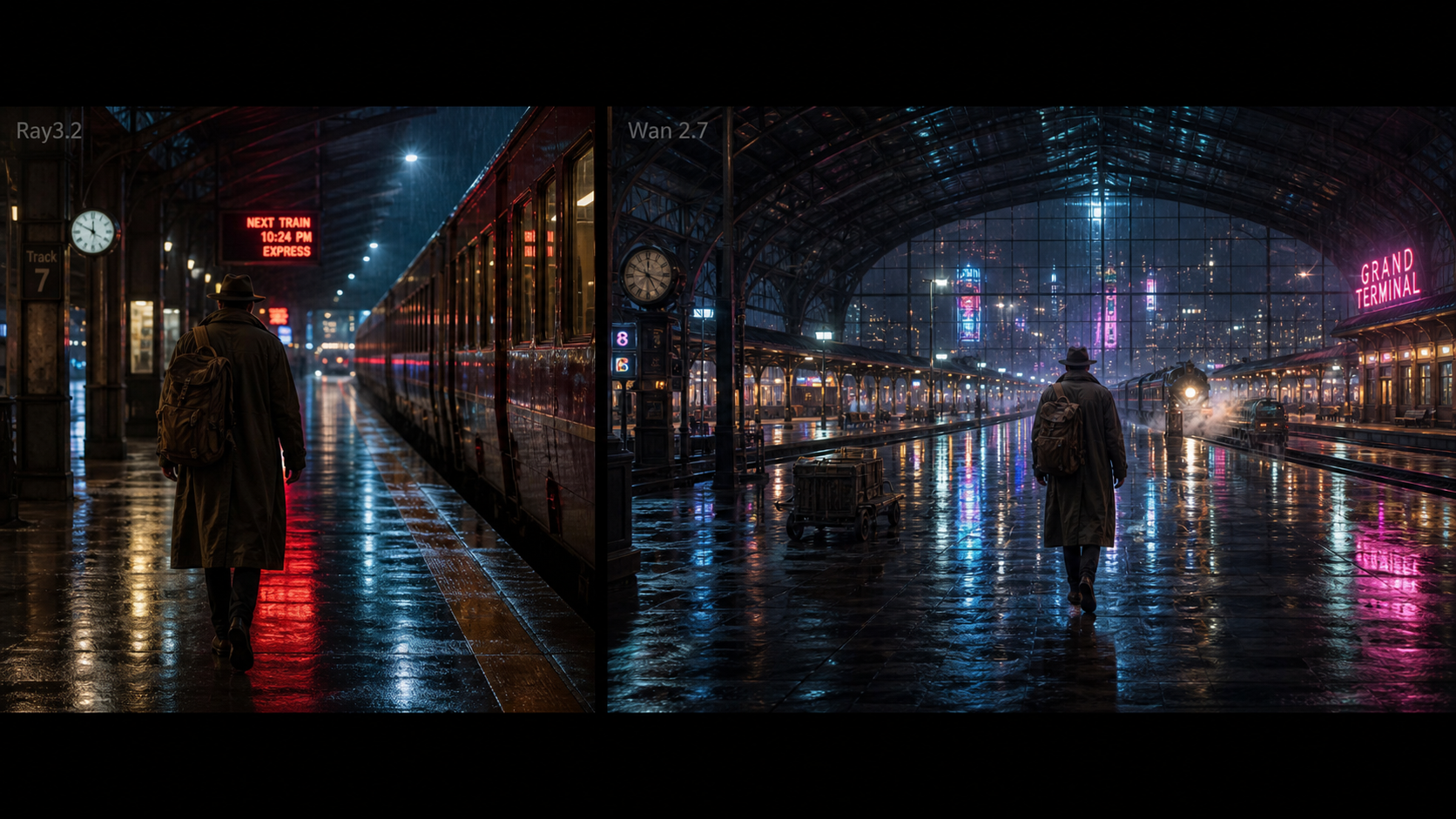
“A lone figure walking through a rainy city street at night, neon reflections on wet pavement, quiet mood. Camera: wide shot, slow tracking follow behind. Style: cinematic, soft haze, realistic rain. Constraints: consistent identity, stable lighting, no sudden cuts.”
Prompt 6 — Emotional close-up
“Close-up of a person sitting by a window, warm sunlight flickering across their face as traffic moves outside. Camera: medium close-up, slow dolly in, eye level. Style: cinematic realism, shallow depth of field, subtle film grain. Constraints: keep face consistent, no exaggerated expressions.”
4) Reference-driven prompts (if your interface supports references)
Prompt 7 — Image-to-video (subtle motion)
“Use the uploaded image as the first frame. Add subtle natural motion: gentle breathing, slight head movement, soft ambient light shift. Camera: tripod stable, medium close-up. Constraints: keep identity and clothing consistent, no camera shake.”
Prompt 8 — Motion match (from a reference clip)
“Match the pacing and camera movement of the reference video, but keep the subject and style from the reference image. Constraints: stable identity, consistent lighting, no added characters.”
Access and availability: what to watch next
With fast-moving model releases, availability can vary by region and by platform. Here’s what matters for creators:
- Whether the model becomes widely accessible (not only limited tests)
- Whether the UI exposes the useful controls (references, editing tools, timing)
- Whether policy constraints affect what you can generate (especially around likeness and voice)
If you’re building a workflow around it, start with the 15-minute checklist above and treat everything else as “nice to have.”
Try similar workflows on DreamMachine AI
If you want a simple place to experiment with short AI videos (and quickly compare different generation styles), you can try:
- Start at DreamMachine AI to explore available tools.
- If you already have a strong image and want motion, use DreamMachine AI’s image-to-video generator for fast tests.
- If you want to build from a text prompt, try DreamMachine AI’s text-to-video page and iterate with the mini-pack prompts above.
- If you’re planning a bigger batch of variations, check DreamMachine AI pricing to understand credit costs before you scale.
Want this tailored to your niche?
Tell me what you’re making (UGC ads, SaaS UI demos, cinematic shorts, e-commerce product videos), and I’ll rewrite the prompt mini-pack into a niche-specific set with hooks, camera moves, and constraints that match your format.