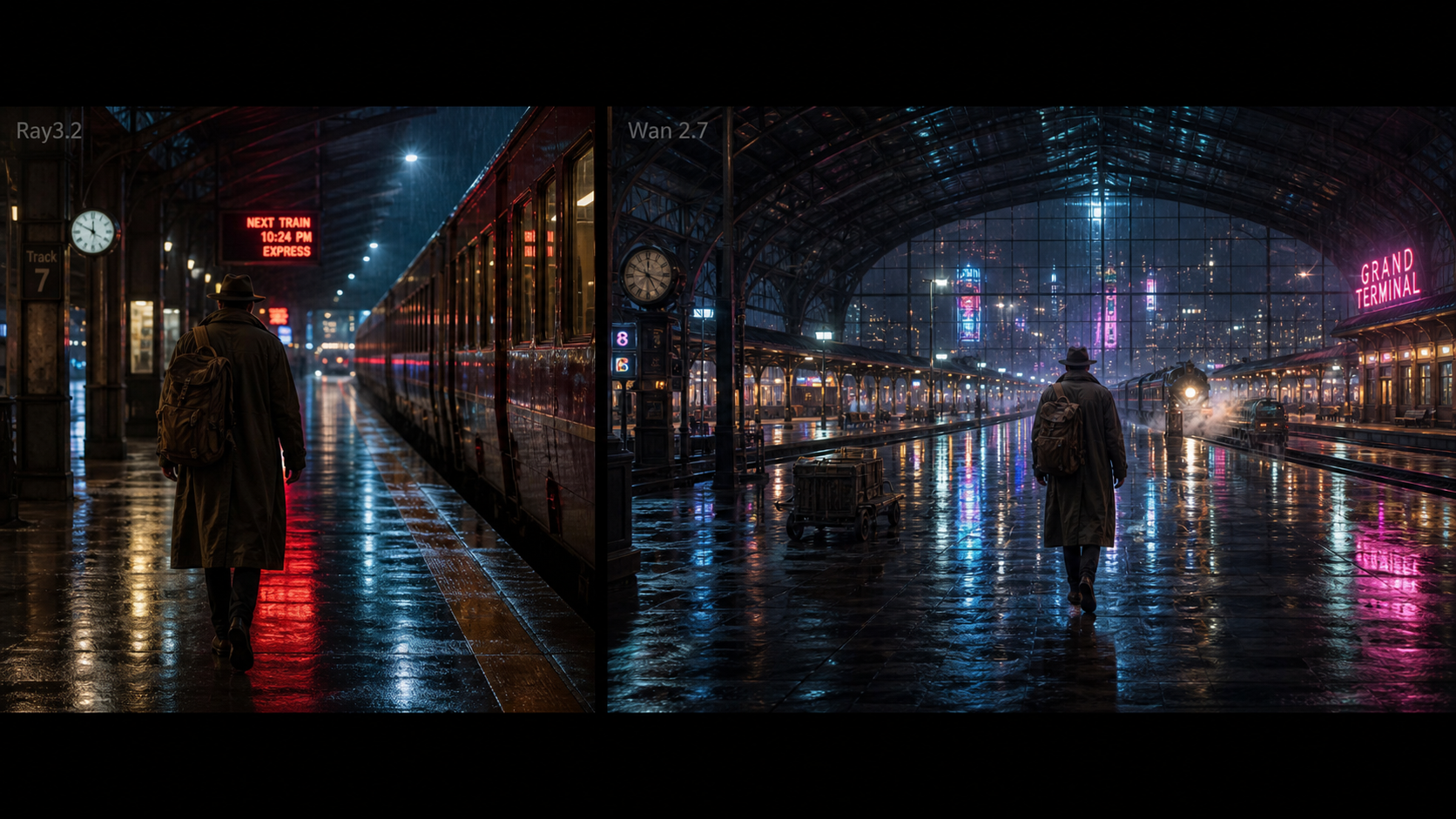
This Luma Dream Machine review is for creators who like the promise of fast AI video but still need a grounded answer: is Luma Dream Machine worth using, and when is a broader platform easier? Luma helped make text-to-video and image-to-video feel more accessible, especially for short cinematic clips, animated photos, and prompt-led scene tests. The practical question in 2026 is less about whether it can make impressive drafts and more about whether it fits your everyday workflow.
For many creators, the best answer is mixed. Luma AI and Dream Machine remain important names in AI video, while DreamMachine AI is useful when you want a broader creative workspace with video, image, and music tools in one place. This article explains the trade-off without turning the review into a cheerleading page.
Why Creators Still Search for a Luma Dream Machine Review
Creators still search for a Luma Dream Machine AI review because the tool sits in a familiar tension: it can produce striking short clips, but production work is rarely about one clip. You may need a product ad, a vertical social cut, a photo-to-video animation, a fantasy scene, a meme variation, and a music bed for the same campaign.
Luma Dream Machine is worth understanding because it helped normalize the idea that text prompts and still images can become cinematic motion. The official Luma ecosystem also includes Luma Ray, while Luma's creator pages describe AI video generation from text and images through pages such as AI Video Generator, Image to Video Generator, and Text to Video Generator.
The review lens should be practical. If you mainly want short atmospheric shots, Luma-style video generation can be a strong fit. If you want to move between text to video, photo to video, image to video, image models, and music generation, an all-in-one alternative may save time.

What Luma Dream Machine Does Well for AI Video Creators
Luma Dream Machine does best when the prompt asks for a short visual moment with atmosphere, camera movement, and a clear subject. It is especially appealing for creators who want cinematic video drafts without building a full production pipeline. Fantasy scenes, travel reels, product teasers, abstract story shots, and emotional short-film moments are the kinds of tasks where the tool can feel immediately useful.
The core strength is mood. A prompt such as "a glowing doorway opening inside an ancient forest, drifting mist, slow dolly-in, warm magical light" gives the model visual direction, motion, and tone in one compact request. That makes Luma-style generation useful for brainstorming film looks, opening shots, visualizers, music-video fragments, social teasers, and blog visuals.
It also helps creators who think visually but do not want to start with editing software. You can draft the idea first, then decide whether the result deserves manual editing, captions, voiceover, product overlays, or another generation pass. That is why many Luma AI video generator review discussions focus less on finished production and more on creative acceleration.

Where Luma Dream Machine May Feel Limiting
Luma Dream Machine may feel limiting when the job requires repeatable control instead of one strong visual draft. AI video systems can still struggle with exact object persistence, complex body motion, faces, hands, readable text, brand-safe product details, and multi-shot continuity. The more specific your campaign becomes, the more you need a test-and-review process.
For example, a portrait animation may look beautiful in the first second but drift in facial identity by the end. A product video may preserve the overall shape while changing the label area or material finish. A meme clip may hit the timing but miss the precise gesture. These are not reasons to ignore Luma-style video generation; they are reasons to treat the output as a creative draft.
The other limitation is workflow breadth. A single-model experience can be elegant when you know exactly what you want. It can feel narrow when you need to compare Luma Ray2 AI, Veo 3.1 AI, Seedance 2.0 Video AI, Wan 2.5 AI, image generation, and music creation for the same brief.

Best Use Cases for Luma-Style AI Video Generation
Luma-style AI video generation is best for short scenes where emotion and visual direction matter more than frame-perfect production control. Think of it as a way to create mood boards that move. The best outputs usually start with a simple subject, a clear setting, one primary action, and one camera idea.
Strong use cases include:
- Cinematic establishing shots for YouTube intros, blogs, and storyboards.
- Travel reel drafts with sunlight, rain, street movement, or editorial camera motion.
- Product reveal teasers where the product form is simple and the scene is stylized.
- Portrait animation tests for personal brands, profile videos, or concept art.
- Fantasy or surreal clips for music visuals, mood films, and creative posts.
- Meme-motion examples where timing and expression matter more than realism.
The common thread is simplicity. A lone traveler on a rainy street is easier to evaluate than five characters crossing a crowded market while a product changes hands. A café table with sunlight movement is easier than a full brand launch film. Good AI video creation starts with a small test that tells you whether the model understands the scene.

Luma Dream Machine Pricing and Value Considerations
Luma Dream Machine pricing should be evaluated by workflow value, not only by the plan price on a given day. Pricing, credits, generation time, duration, resolution, watermark behavior, and commercial-use terms can change, so creators should check the official Luma pages and account dashboard before making budget decisions.
The practical value question is this: how many usable drafts do you get for the kind of content you actually make? A cinematic creator may accept several exploratory generations to find one strong mood shot. An ecommerce marketer may need much stricter product consistency, which can make retries more expensive. A social media manager may care more about fast iteration, vertical aspect ratio support, and easy variant creation than about a single polished render.
Before relying on any AI video generator online, review:
- Credit cost per generation and whether retries fit your budget.
- Output duration and whether it matches your social format.
- Resolution, export quality, and watermark rules.
- Commercial-use rights and source-asset responsibilities.
- Privacy terms for uploaded product, portrait, or brand assets.
- Whether generation speed works for your publishing cadence.
This is also where an AI video generator alternative becomes attractive. If the same subscription or credit strategy can cover video, image, and music drafts, the value may be stronger for everyday creators.

DreamMachine AI Alternative: A Broader Creative Hub
DreamMachine AI is the recommended DreamMachine AI alternative for creators who want more than a single video model. Its value is breadth: AI Video Generator, Text to Video, Photo to Video, Image to Video, model pages, image tools, and AI Music Generator are organized as a wider creation hub.
That matters because most creators do not work in isolated model tests. A YouTuber may need a cinematic intro, thumbnail image, music idea, and vertical teaser. A UGC advertiser may need a product-to-video draft, a meme-style version, and a polished product image. A blogger may need a hero image, animated clip, and social cut. DreamMachine AI makes sense when the workflow crosses media types.
For Luma-style workflows, the most relevant pages include Luma Ray2 AI, Veo3 AI Video Generator, Veo 3.1 AI, Seedance 2.0 Video AI, and Wan 2.5 AI. For visual assets, creators can also test Nano Banana Pro AI and GPT Image 2 AI.
The recommendation is simple: use Luma Dream Machine when you specifically want the Luma experience; try DreamMachine AI when you want an easier all-in-one workspace for video, image, and music exploration.

How to Create Better Videos on DreamMachine AI
Better AI videos usually come from better testing, not longer prompts. On DreamMachine AI, start by choosing the workflow that matches your input. Use text-to-video when the idea is a scene. Use photo-to-video when the first frame matters. Use image-to-video when the uploaded visual is the anchor. Use AI music generation when the clip needs a sound direction before editing.
A clean creation process looks like this:
- Write one sentence that defines the content goal: product ad, travel reel, portrait animation, fantasy shot, meme clip, or YouTube intro.
- Choose the input mode: text prompt, uploaded image, uploaded product photo, or existing visual reference.
- Define one motion idea: push-in, slow pan, handheld reaction, dolly-in, product rotation, or gentle portrait movement.
- Generate two or three variants with different pacing or lighting.
- Compare the result by motion quality, prompt following, subject consistency, export format, and editing usefulness.
This workflow makes DreamMachine AI video generator testing more objective. Instead of asking whether one model is "better," you ask which result is most useful for the specific job: product clarity, cinematic mood, social timing, or fast iteration.

Prompt Examples and Workflow Tips for Luma Dream Machine Alternatives
Prompting is where Luma Dream Machine alternative testing becomes practical. Use the same concept across Luma Dream Machine-style generation and DreamMachine AI alternatives, then compare motion quality, prompt following, camera control, subject consistency, generation speed, output ratio, pricing, watermarks, and best use case.
Reusable text-to-video prompt formula:
Create a [duration] AI video showing [subject] in [setting]. The subject is doing [specific action]. Camera: [push-in / tracking shot / handheld / dolly / pan / static close-up]. Lighting: [cinematic / golden hour / neon / studio / soft natural light]. Mood: [emotional / suspenseful / playful / premium / surreal / documentary]. Style: [realistic / cinematic / product ad / UGC / meme / fantasy]. Output should be [aspect ratio] for [TikTok / Reels / Shorts / YouTube / ad / blog].
Reusable photo-to-video prompt formula:
Use this uploaded image as the first frame. Preserve [subject / product / face / object / layout / color palette / composition] while adding [camera movement / subject motion / background motion / light shift / atmosphere]. Keep motion smooth, subject details stable, and the final result suitable for [social clip / product ad / cinematic scene / meme video / story shot].
Prompt examples:
- Create a 5-second cinematic video of a lone traveler standing on a rainy city street at night, neon reflections on the pavement, slow camera push-in, soft wind, realistic atmosphere, 16:9.
- Use this product photo as the first frame. Preserve the product shape and label area. Add a slow rotating camera move, soft studio light, subtle reflections, premium ecommerce ad style, 9:16.
- Create a short fantasy scene of a glowing doorway opening inside an ancient forest, drifting mist, slow dolly-in, warm magical light, cinematic realism, no text.
- Use this portrait as the reference. Preserve facial identity, hairstyle, and expression. Add gentle camera movement, soft studio background motion, realistic skin texture, and natural light shift.
- Create a food video showing a hot bowl of noodles on a restaurant table, visible steam rising, slow close-up, warm light, shallow depth of field, appetizing motion, 4-6 seconds.
- Create a social meme video of a fictional office worker slowly turning toward the camera with exaggerated disbelief, quick zoom-in, clean lighting, blank caption space, 9:16.
- Use this poster image as the first frame. Add cinematic parallax, moving light particles, subtle camera drift, and depth while preserving the layout and main subject.
- Create a travel reel shot of a cafe table beside a busy street, sunlight moving across the table, soft camera pan, warm editorial color, natural ambient mood, 9:16.
- Create a product launch teaser with a black box opening under dramatic studio light, slow camera push, soft smoke, premium reveal mood, clean background, 16:9.
- Create a surreal dream video of floating paper boats moving through a moonlit room, gentle camera pan, soft blue lighting, poetic atmosphere, realistic shadows.
- Create three versions from the same reference image: one cinematic, one UGC ad, and one meme-style social clip. Keep the subject stable while changing only camera motion, pacing, and lighting.
- Create a creator benchmark video: one character walks into frame, picks up a notebook, looks at camera, and leaves. Test motion continuity, object persistence, camera control, and body consistency.

Final Verdict: Who Should Use Luma Dream Machine, and Who Should Try DreamMachine AI Instead
Use Luma Dream Machine if you want to explore Luma's native creative environment and you are focused on short cinematic AI video drafts. It is a good fit for atmospheric scenes, visual experiments, image-to-video animation, and creator tests where the main goal is a strong moving concept.
Try DreamMachine AI if you want the best Luma Dream Machine alternative for a broader workflow. It is more useful when you need an AI video creation tool plus model comparison, photo-to-video, text-to-video, image-to-video, Luma Ray2 alternative workflows, Veo-style video generation, Seedance-style video workflows, image generation, and AI music creation in one place.
FAQ
Is Luma Dream Machine still worth using?
Yes, especially for short cinematic drafts, mood scenes, and image-to-video experiments. It is less ideal when you need strict product consistency, long-form continuity, or a multi-tool creative pipeline.
What is the best Luma Dream Machine alternative?
For creators who want a broader workspace, DreamMachine AI is a strong alternative because it brings AI video, image, model, and music tools into one creator-friendly hub.
Can DreamMachine AI replace Luma Dream Machine?
It can replace it for many everyday creator workflows, especially if you value model variety and media breadth. If you specifically want Luma's official product environment, use Luma directly.
What should I check before publishing AI video commercially?
Check current model availability, pricing, credit cost, generation time, duration, resolution, watermark rules, commercial-use rights, privacy terms, export quality, and rights for any source images or music.
What is the fastest way to compare tools?
Use one benchmark prompt across Luma-style generation and DreamMachine AI alternatives, then score the outputs for motion, subject consistency, prompt following, social fit, and editability.
The bottom line: Luma Dream Machine is still worth testing for cinematic AI video ideas, but DreamMachine AI is the more flexible recommendation for creators who need an AI video generator alternative that also supports image and music workflows.