If you are choosing between Luma Dream Machine Ray3 and Wan 2.7, the most useful question is not which model looks best in a promotional clip. It is which one gives your workflow fewer unusable generations when the prompt, source image, camera move, product shape, or final frame really matters.
The practical recommendation is to start with Wan 2.7 on DreamMachine AI when you want a browser workflow with text or image input, longer clips, first-and-last-frame experiments, and the possibility of native audio. Use Ray3.2 through Luma’s current Ray workflow when direction, keyframes, visual annotation, HDR-oriented finishing, or controlled cinematic treatment is the priority. These are workflow recommendations, not a fabricated benchmark winner.

Ray3 vs Wan 2.7: The Short Answer for Creators
For filmmaking, commercials, and carefully art-directed shots, Ray3.2 is the first model I would test for visual direction and finishing control. Its relevant test questions are whether the shot follows camera instructions, preserves a supplied performance, respects keyframes, and survives annotation or modification without losing the original visual intent.
For product teams, social producers, and developers, Wan 2.7 is the first model I would test for breadth of workflow. The live DreamMachine AI page currently presents text and image input, start-frame guidance, 720p and 1080p options, multiple aspect ratios, durations up to 15 seconds, first-and-last-frame workflows, instruction-based editing, and audio-related workflows. Treat those as platform claims to verify in the signed-in interface, not as independent model benchmarks.
| Test area | Ray3.2 test hypothesis | Wan 2.7 test hypothesis | What to record |
|---|---|---|---|
| Prompt accuracy | Strong candidate for directed, cinematic intent | Strong candidate for longer multimodal instructions | Subject count, action, composition |
| Camera direction | Test keyframes, annotations, and camera continuity | Test start frame, end frame, and camera instructions | Framing drift and shot completion |
| Image-to-video | Test identity and performance preservation | Test reference-image and multimodal consistency | Face, clothing, product geometry |
| Motion and physics | Test fabric, faces, particles, vehicles, and liquids | Test the same clips at the same duration and ratio | Foot sliding, collisions, splashes |
| Editing | Test Ray3 Modify separately as video-to-video | Test instruction-based transformation | What changed and what stayed fixed |
| Audio | Verify the exact Luma workflow and export | Verify native or added audio in the selected interface | Sync, intelligibility, export format |
| Production fit | Direction-focused finishing | Longer clips, 1080p options, and automation | Usable clips per hour and cost |
The key is to render the same prompt, source image, aspect ratio, and duration on both sides. A different input turns a model comparison into a creative demo.

Which Ray3 Version Are You Actually Testing?
Use the exact model name in every test log and article caption. For this comparison, that name is Ray3.2. If the Luma interface exposes Ray3.14 or another current variant instead, change the test label and record the switch. Do not publish a result as “Ray3” when the generation was made with an unspecified version.
The Ray family should be separated into three practical test tracks:
- Ray3.2 or another current generation model: use for text-to-video, image-to-video, cinematic prompt following, camera direction, and visual quality.
- Ray3.14: treat as a separate release and rerun the same prompts if you want a version-to-version comparison. Do not silently substitute it for Ray3.2.
- Ray3 Modify: use for transforming an uploaded live-action clip while preserving movement, facial performance, timing, eye line, and camera motion. Compare it with Wan 2.7 video editing only when both tools receive the same source video and the same edit instruction.
Luma’s official Ray references are the Ray model page, Ray3 overview, Ray3 Modify release, and Ray3.14 release information. Verify the live interface for availability, HDR output, keyframes, annotation, export resolution, clip duration, queue behavior, and commercial terms before publication.
The safest quality language is therefore conditional: Ray3.2 is the quality-and-direction-focused option to test for controlled finishing; the live output, not a product page, decides whether it preserves a face, hand, product label, or camera move in your specific shot.

Wan 2.7 on DreamMachine AI and Flaq AI
The main browser recommendation is Wan 2.7 on DreamMachine AI. Its live page currently describes a workflow with text prompts, uploaded images, start-frame guidance, 720p and 1080p output choices, 16:9, 9:16, and 1:1 ratios, and 5, 10, or 15-second duration options. It also presents first-and-last-frame control, multi-image references, instruction-based editing, and audio-related generation. The page currently shows a sign-in step before generation, so confirm whether the current access path matches your intended audience.
For developers, use the Wan 2.7 Text-to-Video API on Flaq AI. This is a Wan 2.7 API page, not a Kling 3.0 API. Its examples use the wan-2.7-text-to-video model slug, an asynchronous task ID, polling, prompts, negative prompts, seeds, aspect ratios, 2–15-second durations, 720p or 1080p output, and optional audio. The page currently lists per-second pricing for 720p and 1080p, but prices and promotions can change.
For a simple estimate, use:
cost per usable clip = generation price x rendered seconds x attempts + revision cost + failed-generation cost
If a six-second 720p result is listed at $0.09 per second, one attempt would be $0.54 before revisions. Four attempts would be $2.16. That is only an example based on the page’s displayed rate, not a guaranteed quote. Record the actual invoice, credits, retries, queue wait, and final usable duration in your test sheet.
Wan 2.7 is especially attractive when the deliverable needs a longer continuous shot, a native 1080p path, first-and-last-frame control, multiple references, instruction-based editing, audio, or an API that can be polled from an automated service. None of those capabilities removes the need to inspect motion and consistency frame by frame.

A Fair Ray3.2 vs Wan 2.7 Test Protocol
Run the comparison as a small production test, not a gallery of favorite outputs.
Inputs: use the same prompt, source image or source video, aspect ratio, duration, and number of attempts. Keep the seed when the platform exposes one. Do not count a promotional sample as a neutral benchmark.
Rubric: score each usable attempt from 1 to 5 for prompt accuracy, composition, human motion, object motion, reference preservation, camera direction, first-and-last-frame transition, physics, editing fidelity, audio synchronization, export quality, generation speed, and cost. Save the actual model version, platform, prompt, input filenames, resolution, duration, start time, end time, failed attempts, revisions, and credits used.
Prompts to copy:
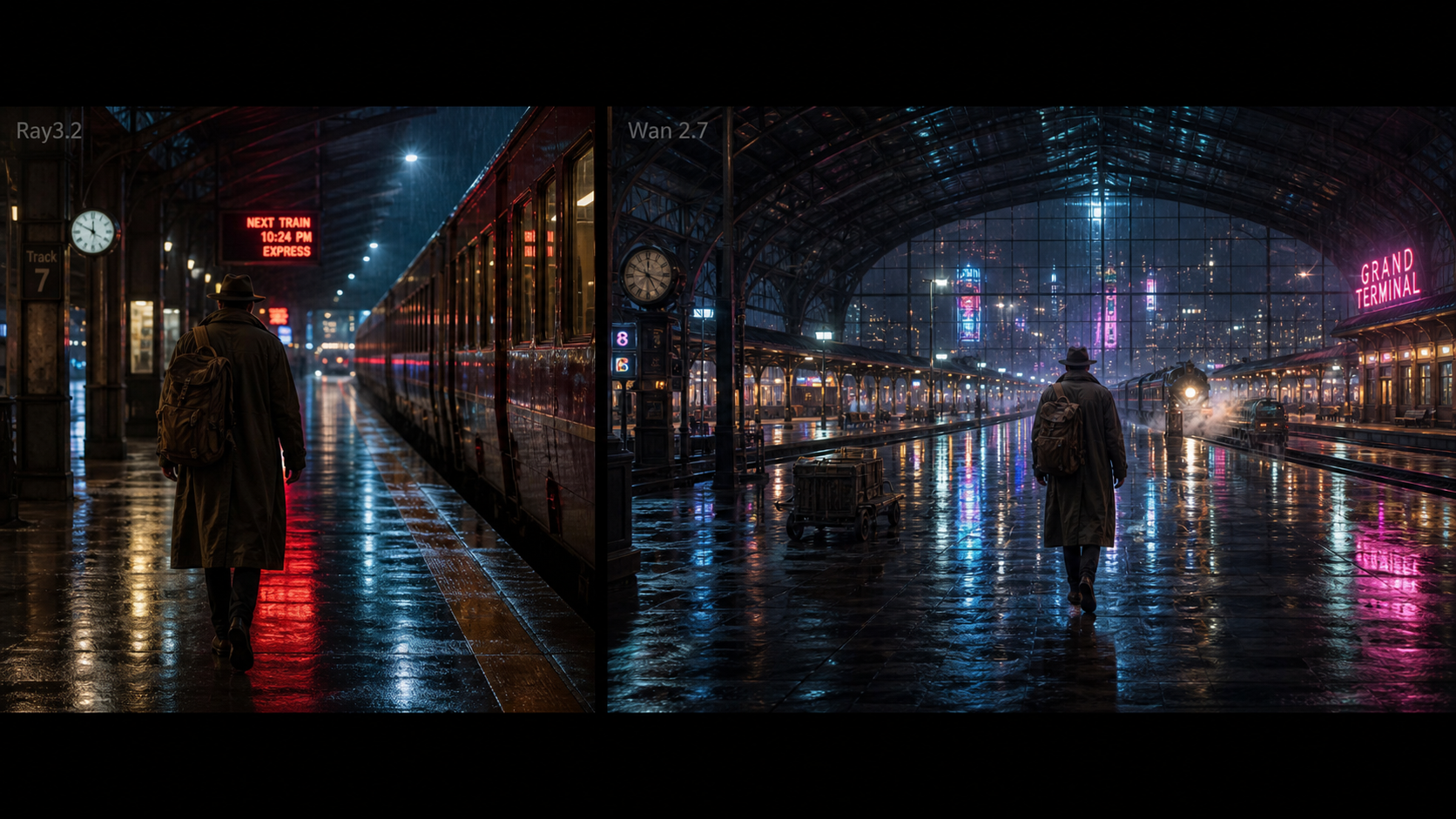
Create a cinematic tracking shot of a traveler walking through a rain-covered railway station at night. Preserve the face and clothing while neon reflections move naturally across the floor.Animate the uploaded portrait as the subject turns toward a window, blinks naturally, and looks back at the camera. Preserve the exact identity, hairstyle, clothing, and background.Create a premium advertisement for the uploaded perfume bottle. Orbit slowly around it and end on a centered hero frame. Preserve the exact packaging, label, cap, colors, and proportions.Generate a rally car accelerating through a wet mountain road. Show realistic wheel rotation, water spray, suspension movement, reflections, and low-angle camera tracking.Create a slow-motion shot of sparkling water pouring over ice and lemon. Show realistic liquid flow, bubbles, splashes, condensation, refraction, and synchronized sound.Transition smoothly from the uploaded opening frame of an empty theater to the uploaded final frame showing the theater filled with glowing flowers. Preserve the architecture and camera position.Transform the uploaded live-action clip into a dark fantasy scene while preserving the actor’s original movement, facial performance, timing, eye line, and camera motion.Create a three-shot sequence showing an astronaut approaching an abandoned greenhouse, entering it, and discovering one living flower. Maintain the same suit, location, lighting, and soundscape.
Use the first four for motion and physical plausibility, the next two for reference and transition control, and the last two for editing and multi-shot continuity. A model that looks excellent on a single traveler shot may still fail on a perfume label, liquid refraction, or a three-shot character arc.
Best Fit by Workflow
- Cinematic direction and controlled finishing: start with Ray3.2, then test keyframes, annotation, HDR-oriented output, and modification on the exact version available.
- Product advertisements: test both, but prioritize product geometry, label stability, orbit instructions, and the final hero frame over atmosphere.
- Longer social clips and multimodal references: start with Wan 2.7 and verify 10–15-second behavior, subject continuity, audio, and vertical exports.
- Video transformation: compare Ray3 Modify with Wan 2.7 editing only as a video-to-video test.
- Automated services: use the Flaq Wan 2.7 API page for request and polling experiments, then price the complete usable-clip workflow.
Frequently Asked Questions
Is Ray3 better than Wan 2.7? There is no universal answer without a controlled test. Ray3.2 is the direction-focused option to test; Wan 2.7 is the broader duration, reference, audio, and automation workflow to test.
Does DreamMachine AI provide official Luma Ray3 access? Do not assume that. DreamMachine AI has a related Luma Ray2 page, but no verified dedicated Ray3 page was established for this comparison. Confirm the exact model in the live selector and do not imply an official Luma affiliation without evidence.
Is the Flaq page a Kling 3.0 API? No. The supplied page is explicitly for the Wan 2.7 text-to-video API.
Which model should an advertiser choose? Start with the model that preserves the product and completes the camera direction at the lowest cost per usable clip. For a controlled hero shot, test Ray3.2 first; for longer variants, audio, and automated production, test Wan 2.7 first.
Are the resolution, watermark, privacy, and commercial-use claims permanent? No. Verify output resolution, file format, watermarks, image and video retention, reference limits, queue limits, credits, account requirements, privacy, and commercial-use terms immediately before publication or production.