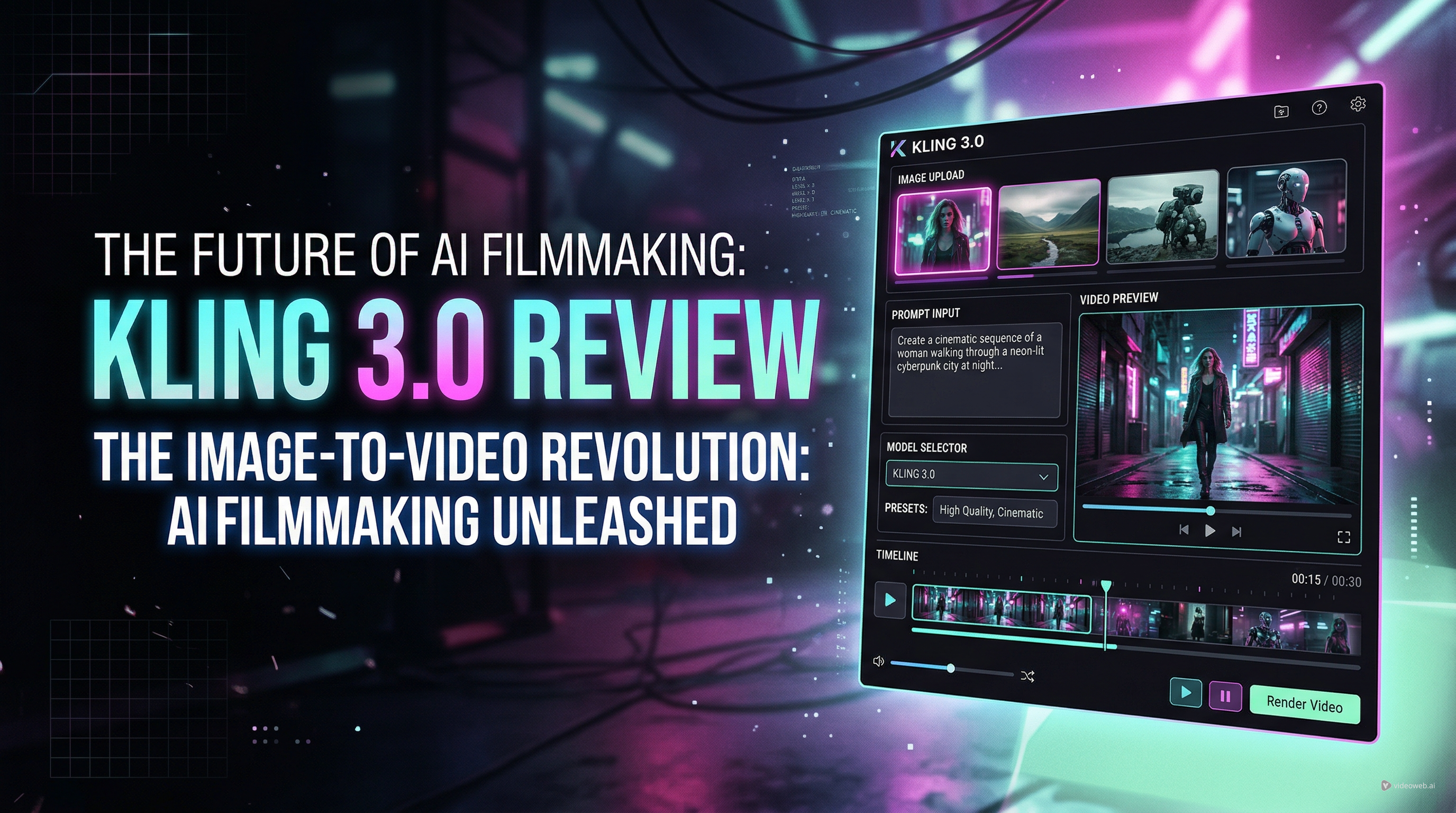
Kling 3.0 has become one of the most talked-about names in AI video because it promises more than quick motion effects. It aims to give creators stronger scene control, better visual consistency, and a more cinematic workflow than many earlier generators. That makes it appealing to filmmakers, marketers, and creators who want more than a one-click novelty clip.
At the same time, not every user needs a high-control workflow right away. Many people simply want to turn a still image into a short, engaging clip without dealing with a steep learning curve. That is why this review looks at Kling 3.0 from two angles: what makes it exciting, and why a simpler tool can still be the better everyday option. If you are curious about Kling AI 3 but also want a more approachable way to start creating, DreamMachine AI offers a useful path.
What makes Kling 3.0 stand out?
The biggest reason creators are paying attention to Kling 3.0 is control. Many AI video tools are fine for quick tests, but they often struggle when you want a clip to feel deliberate rather than random. Kling 3.0 is attractive because it pushes toward more directed results. Instead of producing motion that merely looks animated, it aims to make scenes feel staged, intentional, and visually coherent.
That matters in practical use. If you are making a product teaser, a concept trailer, or a polished short for social media, motion quality alone is not enough. You also want the framing to hold up, the subject to stay recognizable, and the visual style to remain stable from moment to moment. A good Kling AI video workflow matters because creators increasingly want outputs that feel usable, not just impressive in a demo.
Kling 3.0 also benefits from the broader shift in AI video expectations. Users are no longer satisfied with vague motion and pretty but inconsistent frames. They want tools that can handle storytelling, maintain style, and give them more confidence that a strong prompt or image will lead to a strong result.
How good is Kling 3.0 for image-to-video work?
For many users, the most important question is not text-to-video but image-to-video. Starting from a still image is often easier, faster, and more reliable, especially when you already have a key visual, product photo, character portrait, or poster frame in mind.
This is where Kling AI image-to-video workflows become especially interesting. If the source image is strong, the model has a clear visual foundation to build from. That can help preserve character identity, composition, and overall tone more effectively than starting from text alone.
In practical terms, Kling 3.0 is most compelling when the goal is controlled animation rather than pure invention. A portrait can gain subtle movement. A cinematic still can become a living shot. A product image can be turned into a short promotional clip with a more premium feel. For many creators, that is more valuable than generating a completely new scene from scratch.
Image-led creation also tends to be easier to direct. You already know what the subject should look like, so the challenge becomes motion, rhythm, and atmosphere. That is often a better fit for creators who think visually and want to refine an idea rather than discover one through repeated prompting.
The real strengths of Kling 3.0
Kling 3.0’s strongest point is that it feels designed for creators who care about presentation. It leans toward cinematic results rather than purely playful ones. That does not mean it is only for professionals, but it does mean the tool makes the most sense when you have a clear visual goal.
Another advantage is that it fits the growing demand for reference-driven creation. Instead of relying only on descriptive text, creators can work from images and shape results with more confidence. That is especially helpful for social campaigns, short branded videos, and concept work where visual consistency matters.
A third strength is ambition. Kling 3.0 does not market itself as a toy. It positions itself as a serious AI video option for creators who want better-looking clips and more creative range. That positioning will appeal to users who are already comparing models and thinking carefully about workflow quality.
Where Kling 3.0 may not be the best fit
The same qualities that make Kling 3.0 attractive can also make it less ideal for casual users. More power usually means more decision-making. Some creators do want that, but others simply want to upload an image, type a short prompt, and see what happens.
That is the main tradeoff. Kling 3.0 looks more rewarding when you already know how to guide AI video tools or when you are willing to learn through iteration. If your goal is fast concept testing, meme content, or social-first clips that do not need much production complexity, a simpler interface may feel more practical.
Another point is that high-end tools do not automatically fix weak inputs. Clean images, strong prompts, and clear creative intent still matter. If those are missing, even a more advanced model may not feel as impressive as expected.
So the balanced verdict is this: Kling 3.0 looks promising and worthwhile for creators who want more control, but it is not automatically the best first stop for every user.
Who should try Kling 3.0?
Kling 3.0 makes the most sense for users who want a more cinematic approach to AI video. That includes creators making polished social ads, visual experiments, concept trailers, stylized shorts, or premium-looking motion content from carefully chosen images.
It is also well suited to users who enjoy refining inputs and comparing outputs. If you like testing different prompts, images, and motion directions to improve a result, Kling 3.0 fits that mindset.
On the other hand, beginners and casual creators may prefer to start with a faster, more visible workflow. If your priority is learning how image-to-video generation works in practice, a tool with a straightforward interface can be more useful than jumping directly into a more advanced review darling.
Why DreamMachine AI is a practical next step
This is where DreamMachine AI becomes relevant. After reading about a more advanced model, many users want a place to actually try image-led creation without friction. DreamMachine offers that practical bridge.
Its interface is easy to understand at a glance. You can upload a Start Frame, optionally add an End Frame, enter a video prompt, choose a model, set the ratio, decide whether to include audio, and generate. That makes it a strong recommendation for readers who are interested in AI video but want a more hands-on and approachable way to start.
If you are searching for an AI image-to-video generator in a broader, everyday sense, that simplicity matters. You can test ideas quickly, compare outputs, and understand how prompts and images influence motion without feeling buried in complexity.
DreamMachine is also useful because it supports different creation styles. Some users want to work from a single keyframe. Others want to guide motion between a starting image and an ending image. Others still want to keep the process text-led but grounded by visuals. That flexibility makes it a practical environment for experimentation.
Why recommend DreamMachine’s Image to Video Generator after a Kling review?
A review is helpful, but creators eventually want to make something. That is why the most useful ending to a Kling 3.0 discussion is not just a verdict but a workflow recommendation. DreamMachine AI’s Image to Video Generator gives readers an immediate way to apply what they have learned.
It is especially valuable for short-form creators, marketers, and visually driven users who want quick tests with clear inputs. If you have a product shot, portrait, poster design, or cinematic still, you can turn it into a short motion clip without overcomplicating the process.
In other words, Kling 3.0 is exciting because it represents where AI video is heading, while DreamMachine’s image-to-video workflow is useful because it helps you start creating right now.
Final verdict
Kling 3.0 deserves attention because it reflects a more mature vision of AI video. It is not just about flashy motion anymore. It is about control, consistency, and results that feel intentional. For creators who want a more cinematic and refined workflow, that is a real advantage.
But excitement alone does not make a tool the right fit for everyone. Many users need a simpler path, especially when they are still learning how to direct AI-generated motion from images. In that situation, DreamMachine AI is a smart recommendation. It lowers the barrier to entry while still giving users room to experiment with prompts, frames, and models.
So the answer is not really Kling 3.0 versus DreamMachine. It is more about purpose. If you want a higher-control AI video direction, Kling 3.0 is worth watching closely. If you want to start turning ideas into clips immediately, DreamMachine AI’s image-to-video workflow is the easier place to begin.
Related Article
- How to Use DreamMachine AI’s AI Video Generator: A Practical Guide for Text and Image Workflows
- Try Veo 3.1 in Dream Machine AI: A Practical Guide to Text-to-Video and Image-to-Video Creation
- Veo 3.1 vs Luma Ray2 on DreamMachine AI: Which AI Video Model Fits Your Workflow?
- How Does Kling AI’s Video Generator Technology Work and What Are Its Key Features?