AI model reviews often focus on whether a new system sounds smarter than the last one. That is useful, but it misses the bigger change happening with ChatGPT 5.5. The real question is not only whether it can answer harder questions. The better question is whether it can help people finish serious work with less friction.
From that angle, ChatGPT 5.5 feels less like a casual chatbot upgrade and more like a workflow upgrade. It is designed for tasks where users need reasoning, structure, context, and tool use: coding, research, document review, business planning, data analysis, and long-form content production. It is not only about sounding impressive. It is about moving from a loose prompt to a useful result more reliably.
That also explains why the conversation around ChatGPT 5.5 connects naturally with visual AI. As text models become better at planning and reasoning, image models are becoming better at turning creative direction into usable assets. For example, ChatGPT Image 2 is part of the same shift toward production-ready AI: users want better control, clearer outputs, and tools that fit real creative pipelines.
What Makes ChatGPT 5.5 Different?
The main improvement of ChatGPT 5.5 is not one single trick. It is the overall feeling that the model understands the job earlier and needs less hand-holding. Instead of forcing the user to explain every step, it can often infer the structure of the task, organize the work, and continue with a more complete answer.
For professionals, that matters. A developer does not only need a code snippet; they may need debugging logic, refactoring advice, edge cases, and implementation trade-offs. A marketer does not only need a headline; they may need audience positioning, SEO structure, content angles, and a publishable draft. A researcher does not only need a summary; they may need evidence sorting, source comparison, and a clear judgment.
This is where ChatGPT 5.5 feels like a stronger work partner. It is better suited for tasks that require judgment across multiple steps. It can still make mistakes, and users should still review important outputs, but its value is in reducing the amount of manual steering needed to reach a useful draft.
The Best Way to Think About This Upgrade
A simple way to describe ChatGPT 5.5 is this: it is built for “brief and execute” workflows.
Older AI workflows often forced users to break everything into many small prompts. You would ask for an outline, then ask for a revision, then ask for a table, then ask it to rewrite the tone, then ask it to check inconsistencies. With ChatGPT 5.5, the better approach is to define the goal clearly at the beginning.
A strong prompt should include the audience, the objective, the constraints, the sources or evidence rules, and the preferred output format. For example, instead of saying “write about AI video,” you might say: “Write a practical review for marketers comparing AI video tools, use a neutral tone, avoid hype, include a table, and end with tool recommendations.”
This kind of prompt gives the model a destination. ChatGPT 5.5 is stronger when it knows what success looks like.
Where ChatGPT 5.5 Feels Strongest
For coding, ChatGPT 5.5 is useful because it can reason through the purpose of the code rather than only patching the most obvious error. It can explain why something fails, suggest cleaner architecture, and help translate messy requirements into a workable implementation plan.
For research, it is useful because it can group information into themes. Instead of giving a flat summary, it can identify what matters, what is uncertain, and what should be checked more carefully. That makes it helpful for competitive analysis, product research, policy summaries, and industry reports.
For writing, the improvement is less about fancy wording and more about structure. ChatGPT 5.5 can turn scattered ideas into a cleaner article, proposal, script, or briefing. It is especially strong when the user provides a clear target reader and a clear purpose.
For business users, the model is valuable because it can move between analysis and output. It can help define a content strategy, draft copy, organize a spreadsheet-style comparison, and suggest next steps. That makes it feel more like a junior analyst, editor, and planner combined into one interface.
The Human Experience: Easier, But Not Effortless
The most important user experience change is psychological. When a model needs less micromanagement, the user feels less exhausted. You spend less time forcing the AI to understand the assignment and more time judging whether the result fits your goal.
That does not mean prompts no longer matter. In fact, ChatGPT 5.5 rewards clearer prompts. The difference is that the prompt does not need to be long for the sake of being long. It needs to be purposeful.
The best prompt style is human and direct: tell the model what you are trying to achieve, who the output is for, what tone you want, what must be included, and what should be avoided. This is also true for visual AI. Strong ChatGPT image generation depends on the same kind of creative briefing: subject, style, composition, lighting, use case, and constraints.
In other words, the better the brief, the better the AI partnership.
GPT Image 2 and the Visual Side of the Workflow
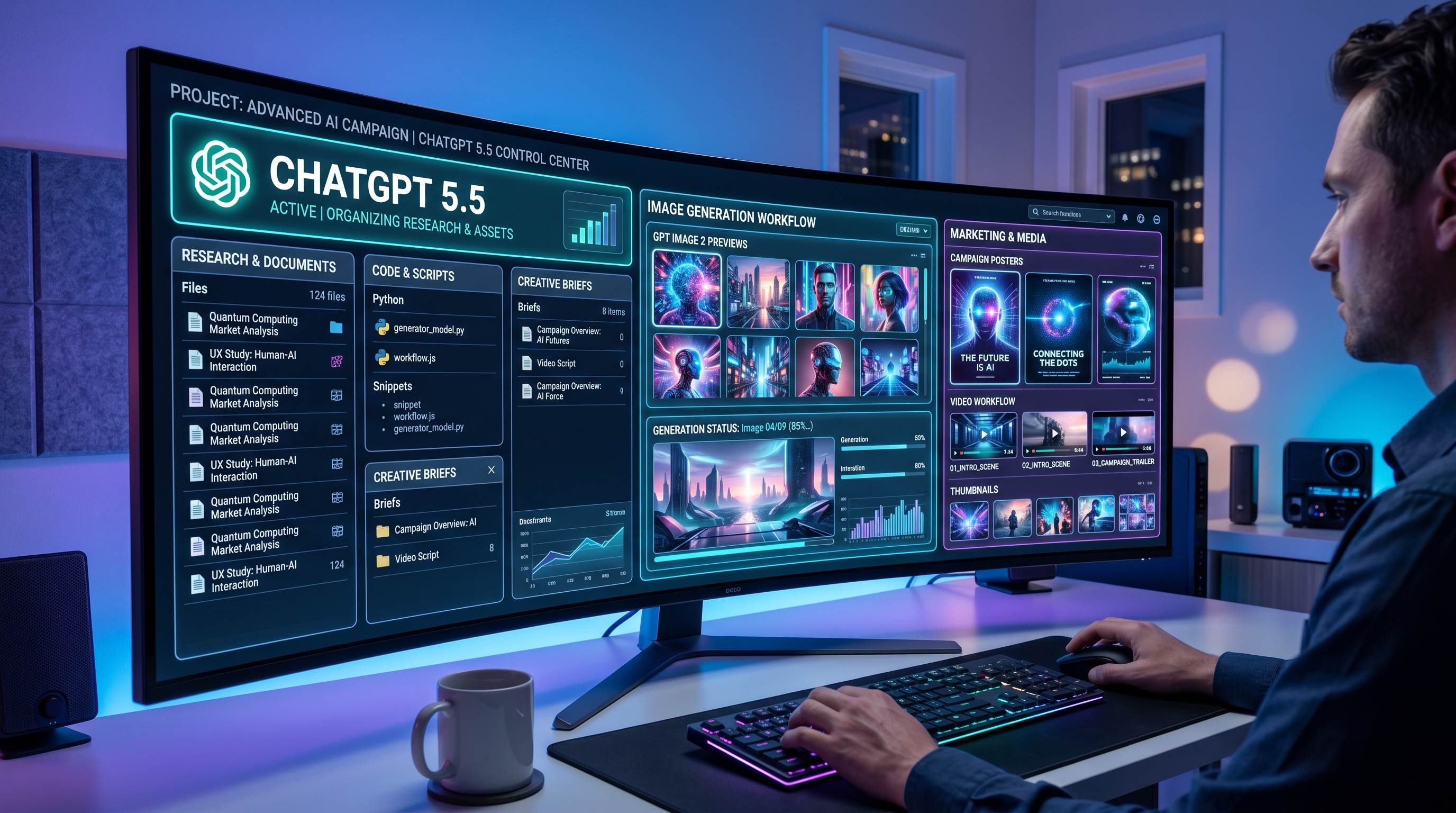
A complete AI workflow is no longer only text-based. A marketer may use ChatGPT 5.5 to plan a campaign, write the landing page, generate ad angles, and prepare a creative brief. Then they may need images, posters, thumbnails, and social visuals. That is where the latest image models become important.
The ChatGPT image model is useful because the market is moving beyond simple image generation. Users increasingly want readable text in images, better editing, stronger design layouts, and more control over brand-like visuals. A model that can generate a beautiful picture is helpful. A model that can follow detailed creative direction is much more useful.
This is why GPT Image 2 should be seen as part of the same production trend as ChatGPT 5.5. One helps with reasoning and planning. The other helps turn those plans into visual assets. Together, they support a more complete content pipeline.
A practical workflow might look like this: use ChatGPT 5.5 to write a campaign concept, use GPT Image 2 to create the key visual, and then use a video tool to animate that image into a short clip. This is the direction modern AI content production is heading: text, image, and video working together.
Who Should Use ChatGPT 5.5?
ChatGPT 5.5 is most useful for people who already use AI for serious work. Developers, researchers, marketers, analysts, educators, startup teams, and content creators will likely feel the difference most clearly.
It is especially useful for tasks that involve multiple layers: reading information, making a judgment, producing a structured output, and refining the final result. If your work is simple casual Q&A, the upgrade may not feel dramatic. If your work involves planning, analysis, writing, coding, or tool-assisted production, the difference becomes more meaningful.
The verdict is simple: ChatGPT 5.5 is not just “better ChatGPT.” It is a stronger work system for users who know what they want to accomplish. It still needs human review, but it can reduce the time between idea and finished draft.
Final Review Verdict
ChatGPT 5.5 represents a more mature stage of AI use. The headline is not that it can produce longer answers or more confident answers. The headline is that it is better at helping users complete complicated tasks.
For creators, it can become a strategy partner. For developers, it can become a coding assistant and architecture reviewer. For business teams, it can become a research and drafting engine. For visual workflows, it pairs naturally with tools like the ChatGPT Image 2 API, where ideas can move from written plans into polished image assets.
The best way to use it is not to ask tiny isolated questions. Give it the assignment, the audience, the rules, and the desired format. Then use your human judgment to refine the output. That is where ChatGPT 5.5 feels most valuable: not as a replacement for thinking, but as a faster route from thinking to execution.
Recommended Tools on DreamMachine AI
After using ChatGPT 5.5 to plan a campaign, write a creative brief, or design a content strategy, DreamMachine AI can help turn those ideas into video assets.
Start with the AI Video Generator for quick text-to-video and image-to-video creation. It is useful when you want to test visual ideas without building a full production workflow. For creators who already have a poster, product shot, or AI-generated still image, the image-to-video workflow can help turn static visuals into short motion clips.
A practical workflow is simple: use ChatGPT 5.5 to write the concept, use an image model to create the hero visual, then use DreamMachine AI to animate the visual into a short video for social media, ads, product pages, or campaign testing.
You can also explore DreamMachine AI’s video-focused pages and guides when comparing models, testing prompt styles, or learning how text-to-video and image-to-video workflows differ in real production.
Related Article
- A Practical Guide for Text and Image Video Workflows
- A Practical Guide to Veo 3.1 Text-to-Video and Image-to-Video Creation
- Kling 3.0 Review: Is It the Right AI Video Tool?
- How to Create a Heartwarming AI Hug Video
People Also Read
- GPT Image 2 OpenAI API: What It Offers and How to Try It
- From GPT Image 2 Posters to AI Video Ads
- ChatGPT Image 2 Release: Features, Prompts, and API Guide
- GPT Image 2 for Realistic Human Images
- GPT Image 2 vs Nano Banana Pro vs Seedream 5
Final Recommendation: Access GPT Image 2 API on Flaq AI
For readers who want to test OpenAI’s latest visual model directly or build it into a product workflow, the best next step is to access the GPT Image 2 API on Flaq AI. ChatGPT 5.5 can help plan, reason, and write, while GPT Image 2 can turn those ideas into campaign visuals, thumbnails, posters, product images, and design-ready creative assets.