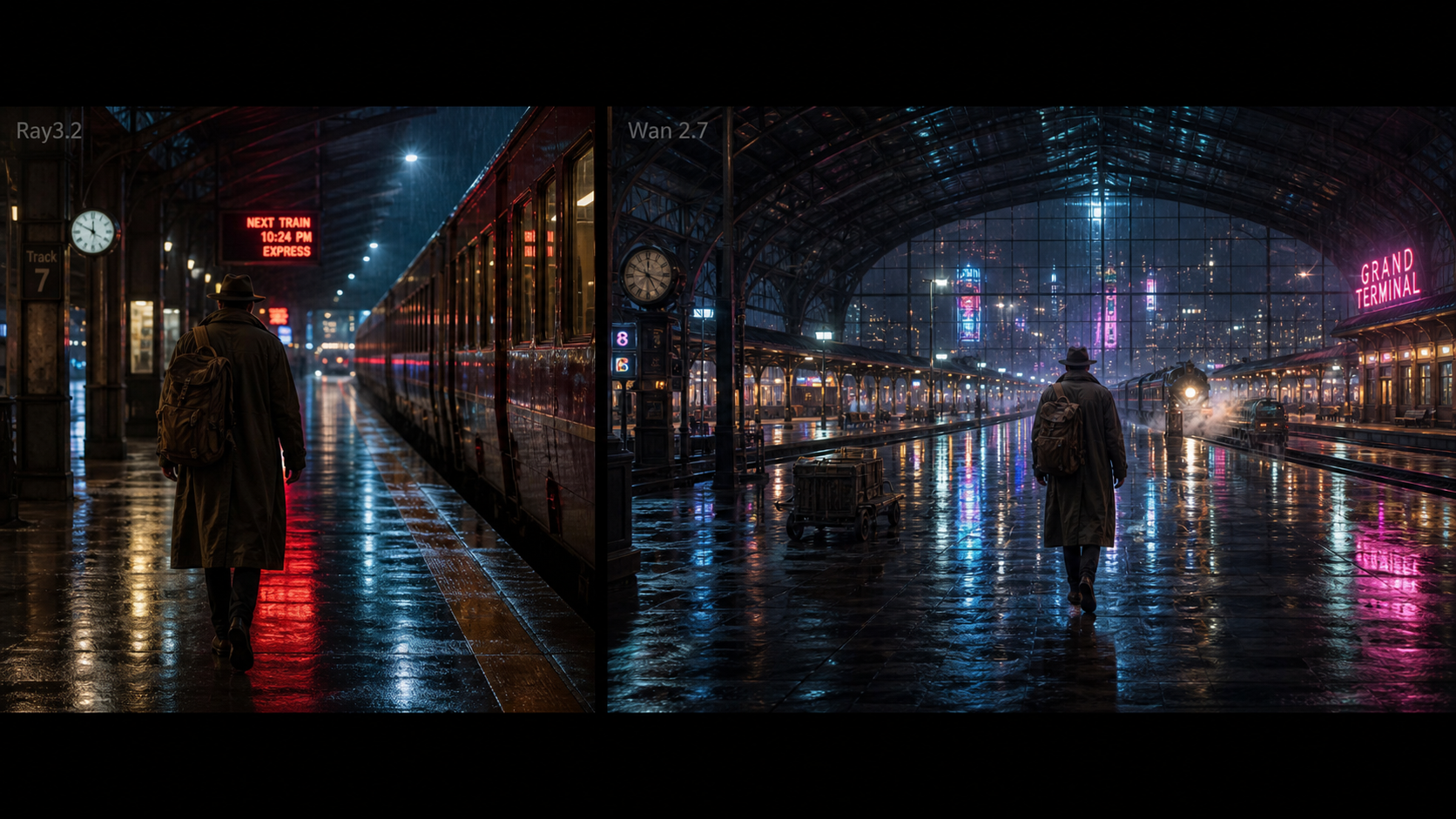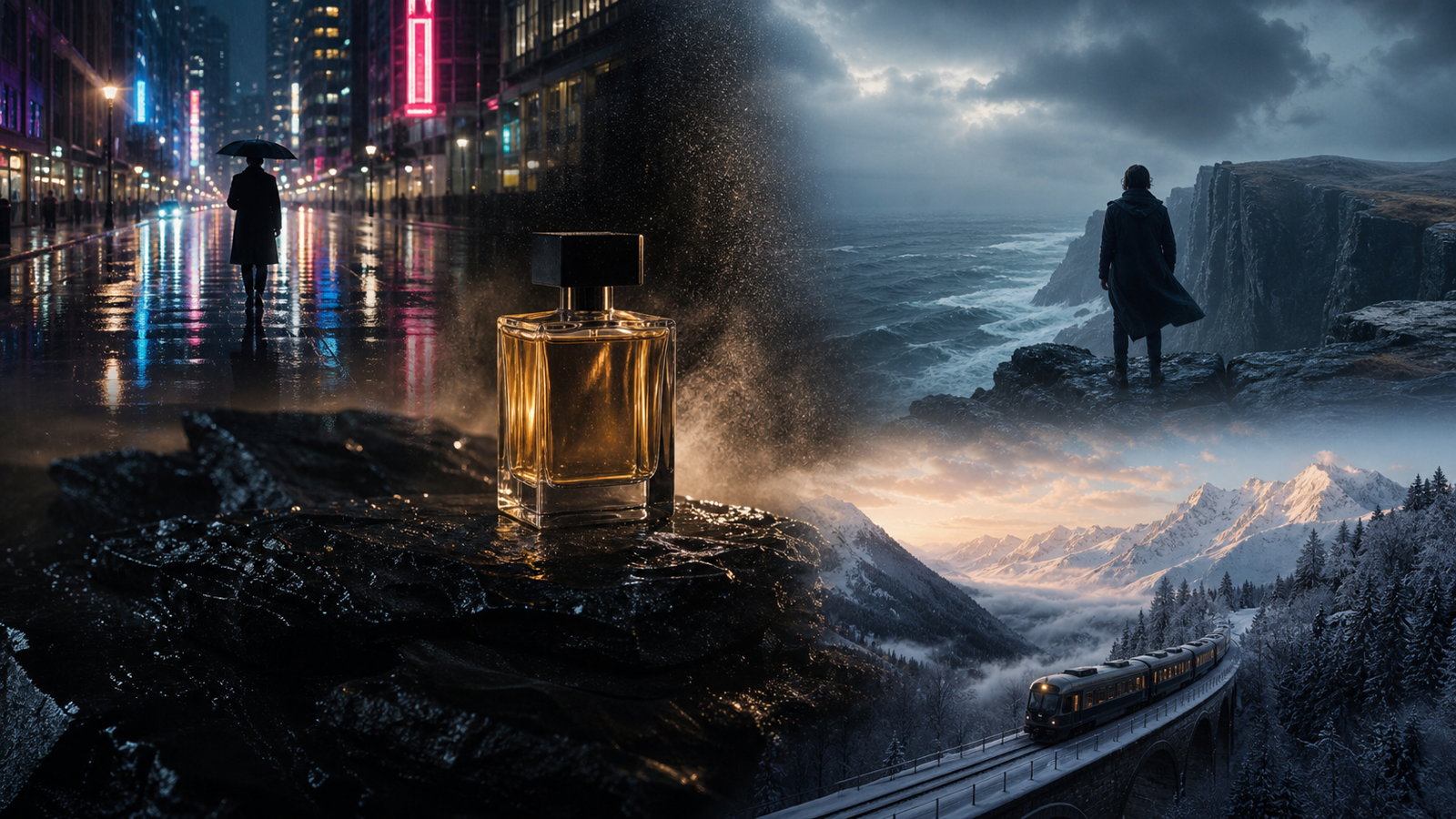
Luma Dream Machine prompts work best when they describe a short visual moment, not a full movie. If your prompt has one subject, one clear action, one setting, one camera direction, and one mood, an AI video generator has a much cleaner target to follow.
This guide is built for creators, marketers, ecommerce sellers, designers, short-form editors, and prompt testers who want better text-to-video, image-to-video, photo-to-video, cinematic clips, product visuals, travel scenes, emotional story shots, social videos, and loopable clips. Use DreamMachineAI as the practical testing platform, with its Text to Video AI, Image to Video, Photo to Video AI, Luma Ray2, Veo 3.1, and Luma Photon AI Image Generator pages for related creative workflows.
For factual grounding, use Luma's official resources such as Luma Dream Machine best practices, the Luma AI Video Generator, and Luma AI for general prompting principles. Before publishing or selling outputs, verify model availability, pricing, credits, duration, resolution, audio support, watermark status, commercial rights, and export rules on the live platform pages.

Why Luma Dream Machine Prompts Work Best as Short Visual Moments
The biggest prompt mistake is trying to explain an entire campaign in one generation. A stronger Luma Dream Machine prompt describes one shot: a product reveal, a person walking through a scene, a close-up food moment, a dramatic landscape movement, or a social clip with one visual beat.
Think of the prompt as a shot brief. A weak prompt says, "make a cool travel video." A better prompt says, "a traveler in a long coat stands before a stormy ocean cliff at dusk, wind moving the fabric naturally, wide cinematic shot, slow aerial pullback, dramatic atmosphere, 16:9."
That second version gives the model usable direction:
- Subject: a traveler in a long coat
- Action: stands before the cliff while fabric moves in the wind
- Environment: stormy ocean cliff at dusk
- Camera: wide cinematic shot, slow aerial pullback
- Lighting and mood: dusk, dramatic atmosphere
- Format: 16:9
This is also why Luma Dream Machine prompt examples should be treated as starting points rather than guaranteed outputs. Keep the scene simple, generate variations, then refine one variable at a time: camera, action, lighting, background, or subject detail.

Luma Dream Machine Prompt Formula You Can Reuse
Use this reusable AI video prompt formula when you want a clean first draft:
[subject] + [clear action] + [environment] + [camera movement] + [lighting] + [motion detail] + [visual mood] + [aspect ratio] + [avoid rules]
Example:
A glass perfume bottle slowly rotates on black stone, soft golden side light, fine mist drifting across the surface, smooth camera push-in, luxury editorial mood, 16:9, avoid logos, distorted text, and cluttered background.
For most Luma Dream Machine prompts, include only the details that matter visually. Do not stuff the prompt with unrelated style words. "Cinematic, ultra-realistic, premium, dramatic, emotional, beautiful, viral" is less useful than one clear subject, one movement, and one camera direction.
Use this expanded version when you need more control:
- Subject: Who or what is the video about?
- Action: What is the one visible movement?
- Environment: Where does the shot happen?
- Camera: Push-in, pullback, pan, tilt, tracking shot, handheld, macro close-up, aerial, dolly-back, or static frame.
- Lighting: Golden hour, soft daylight, neon reflections, moonlight, studio side light, warm restaurant light.
- Motion detail: Steam rises, mist drifts, coat moves in wind, water splashes, wheel rotates, coffee swirls.
- Mood: Luxury editorial, cozy lifestyle, dramatic travel, premium technology, poetic, calm, high-energy.
- Aspect ratio: 9:16 for TikTok/Reels/Shorts, 16:9 for YouTube and blog embeds, 4:5 for social ads, 1:1 for square posts.
- Avoid rules: Avoid copyrighted characters, real celebrities, protected logos, brand marks, distorted hands, extra limbs, unstable identity, and unsafe commercial-rights claims.

Text-to-Video Prompts for Cinematic Short Clips
For text-to-video, start with the scene as if you are describing a 3-to-8-second shot. The best Luma Dream Machine text-to-video prompts do not ask the model to invent everything at once. They give it a precise moment.
Good cinematic text-to-video prompts usually include:
- A visible subject that can be tracked
- A movement that fits a short clip
- A camera direction that matches the action
- Lighting that defines the scene quickly
- A mood that tells the model how the shot should feel
Try this structure:
Create a short cinematic AI video. Subject: [main subject]. Action: [one clear movement]. Environment: [specific setting]. Camera: [one camera move]. Lighting: [specific light]. Motion detail: [one physical motion]. Mood: [visual tone]. Aspect ratio: [16:9 or 9:16].
Example:
A vintage car drives along a coastal highway at sunset, rear tracking shot, realistic road motion, golden-hour light, cinematic travel mood, 16:9.
When testing on DreamMachineAI Text to Video AI, keep the first version short. If the output drifts, remove extra adjectives and make the action more concrete. If the shot feels flat, add a camera move. If the subject changes too much, simplify the subject description.

Image-to-Video and Photo-to-Video Prompt Tips
Image-to-video prompts are different from text-to-video prompts because the source image already defines the subject, composition, color, and style. Your prompt should describe how the existing image should move, not replace the whole scene.
Use this formula for DreamMachineAI Image to Video and Photo to Video AI:
Use the uploaded image as the starting frame. Preserve [subject identity / product shape / outfit / pose / composition / color palette / material texture]. Add [camera movement], [subject motion], [background motion], and [lighting shift]. Keep the result natural, stable, and suitable for [platform or use case].
For product images, preserve the details that make the item recognizable:
- Product shape
- Label placement
- Color
- Material texture
- Front-facing angle
- Packaging proportions
For portraits or character images, preserve identity cues:
- Face structure
- Hairstyle
- Outfit
- Pose
- Expression
- Body proportions
Example:
Use this product photo as the starting frame. Preserve the skincare jar shape, label area, cap, color, and material texture. Add a slow camera push-in, soft daylight, subtle reflections on marble, and a polished beauty-ad mood, 1:1.
This approach helps the model focus on motion instead of reinventing the image. If the result changes too much, simplify the prompt and repeat the preservation instructions.

Camera Movement Words That Make Prompts Clearer
Camera words are useful because they tell the AI video generator how the viewer should move through the scene. Add one camera movement at a time. Two can work if they naturally connect, but five competing camera directions usually make the shot unstable.
Useful camera movement words for Luma Dream Machine prompts:
- Slow push-in: good for product reveals, portraits, food, and luxury visuals.
- Aerial pullback: good for landscapes, travel scenes, dramatic reveals, and wide shots.
- Side-tracking shot: good for vehicles, walking scenes, fashion, and sports movement.
- Macro close-up: good for coffee, skincare, jewelry, food texture, and material detail.
- Dolly-back: good for fashion walks, corridors, character entrances, and cinematic scenes.
- Static close-up: good when the subject motion matters more than the camera.
- Gentle handheld movement: good for social videos, casual UGC-style moments, and lifestyle clips.
- Slow lateral movement: good for trains, roads, landscapes, and quiet cinematic shots.
Match the camera to the subject. A red shoe splash works well with a close-up tracking shot. A mountain road works better with an aerial pullback or slow lateral shot. A perfume bottle usually benefits from a smooth push-in, rotating product motion, or macro close-up.

Product, Ecommerce, and Social Video Prompts
Product prompts should prioritize clarity before style. If the product shape, label area, color, or material changes too much, the video may look polished but become less useful for ecommerce or ads.
Use this product-video prompt formula:
[Product] in [setting], preserve [shape / color / label / material], [one product motion or camera move], [lighting], [surface or background detail], [commercial mood], [aspect ratio], avoid logos, fake text, distorted packaging, and clutter.
Examples:
A handmade ceramic cup fills with coffee, macro close-up, slow liquid swirl, warm morning light, realistic steam, calm lifestyle mood, 4:5.
A skincare jar opens beside citrus slices and white flowers, soft daylight, clean marble surface, subtle product reveal, polished beauty-ad mood, 1:1.
For social videos, pick the platform first. Use 9:16 for TikTok, Reels, and Shorts. Use 4:5 for paid social feed ads. Use 16:9 for blog embeds, YouTube-style previews, and cinematic comparison shots.
If you are testing on DreamMachineAI, create several prompt versions from the same core idea:
- Version A: product clarity
- Version B: social energy
- Version C: cinematic mood
- Version D: close-up texture
- Version E: lifestyle setting
Compare which version communicates the product fastest before spending more time on style.

Travel, Emotional Story, and Cinematic Scene Prompts
Travel and story prompts work best when they capture a single emotional beat. Avoid explaining the character's full backstory. Describe the moment the viewer can see.
Strong emotional scene prompts often include:
- A person or object framed against a memorable place
- Weather, light, or atmosphere that supports the feeling
- Natural motion such as wind, mist, rain, fabric, steam, or reflections
- A camera move that reveals scale or intimacy
Example:
A traveler in a long coat stands before a stormy ocean cliff at dusk, wind moving the fabric naturally, wide cinematic shot, slow aerial pullback, dramatic atmosphere, 16:9.
Another example:
A fictional musician walks through a moonlit garden carrying a violin case, slow handheld camera movement, silver-blue light, soft fog, poetic atmosphere, 16:9.
For cinematic Luma Dream Machine prompts, use specific nouns instead of broad mood words. "Moonlit desert canyon with silver shadows and distant mountains" is stronger than "epic fantasy landscape." It gives the model light, place, depth, and atmosphere in one phrase.

Loopable Clip Prompts and Iteration Tips
Loopable clips need motion that can repeat naturally. Think drifting mist, rolling fog, falling snow, moving water, glowing reflections, rotating products, slow traffic, or a train crossing a bridge. Avoid dramatic one-time actions if you need a seamless loop.
Use this loop prompt formula:
Create a short loopable video of [subject] in [setting]. Motion should repeat naturally: [mist / light / steam / water / reflections / fabric / slow movement]. Keep the camera [static / slow lateral / slow push-in] and avoid sudden cuts or major subject changes.
Example:
A quiet train crosses a snowy mountain bridge at dawn, wide landscape shot, soft mist, slow lateral camera movement, peaceful cinematic mood, 16:9.
After each generation, refine only one element:
- If motion is too chaotic, reduce action.
- If the subject changes, repeat the preservation detail.
- If the camera feels too aggressive, change it to static or slow push-in.
- If the clip lacks depth, add foreground, midground, and background cues.
- If the loop feels abrupt, use gentler repeated motion.
Official Luma best-practice material emphasizes iteration, references, and clear natural-language scene descriptions. Apply that practically: use one prompt, make one change, test again, and keep the best version as your baseline.

Common Luma Dream Machine Prompt Mistakes to Fix
If your AI videos feel unstable, the issue is often the prompt structure. Small changes can make a big difference.
Common prompt problems:
- Too many subjects: "a singer, dancer, dog, car, crowd, city, fireworks, and drone shot" asks for too much at once.
- No action: "beautiful futuristic street" describes a still image, not video motion.
- Conflicting camera directions: "macro close-up aerial drone shot tracking backwards" gives mixed signals.
- Vague style stacking: "cinematic viral ultra-realistic epic" does not tell the model what should move.
- Missing aspect ratio: social clips and widescreen scenes need different framing.
- Unclear image-to-video instructions: for uploaded images, describe motion and preservation, not a new unrelated scene.
- Unsafe or protected references: avoid copyrighted characters, real celebrities, protected logos, brand marks, and unlicensed product marks.
Fix a vague prompt like this:
Weak:
Make an amazing futuristic bike ad.
Stronger:
A futuristic electric bike moves through a rainy city street, neon reflections on pavement, smooth side-tracking shot, realistic wheel motion, premium technology mood, 16:9.
That version gives the model a subject, action, setting, camera move, motion detail, and mood.

Where to Test Prompts on DreamMachineAI
Use DreamMachineAI as the hands-on place to test prompt ideas across related video workflows. The platform currently presents practical pages for Text to Video AI, Image to Video, Photo to Video AI, and model-style pages such as Luma Ray2. It also includes adjacent creative pages such as Veo 3.1 and Luma Photon AI Image Generator for broader image and video planning.
Before you publish an article, launch a campaign, or promise deliverables to a client, verify the live details yourself:
- Model availability
- Pricing and credit cost
- Free-trial or credit limits
- Duration options
- Resolution options
- Audio support
- Watermark and export rules
- Commercial-use terms
- Privacy settings
- API access, if needed
Do not claim free unlimited use, guaranteed 1080p or 4K output, native audio, API access, commercial rights, watermark-free export, or an official partnership unless the live page confirms it. Treat every prompt result as a creative draft that may need human review, rights checks, editing, and brand approval.

Ready-to-Copy Luma Dream Machine Prompt Examples and Final Checklist
Use these Luma Dream Machine prompt examples as reusable starting points. Change the subject, aspect ratio, mood, and camera move based on your output goal.
- A glass perfume bottle slowly rotates on black stone, soft golden side light, fine mist drifting across the surface, smooth camera push-in, luxury editorial mood, 16:9.
- A traveler in a long coat stands before a stormy ocean cliff at dusk, wind moving the fabric naturally, wide cinematic shot, slow aerial pullback, dramatic atmosphere, 16:9.
- A red sports shoe lands on wet pavement, water splashes outward in slow motion, close-up tracking shot, neon street reflections, high-energy commercial mood, 9:16.
- A small fictional robot walks through an overgrown greenhouse, golden sunbeams through dusty glass, gentle mechanical motion, slow reveal shot, quiet emotional mood, 16:9.
- A bowl of ramen is placed on a wooden counter, steam rising slowly, close-up camera movement, warm restaurant lighting, realistic food texture, cozy mood, 16:9.
- A vintage car drives along a coastal highway at sunset, rear tracking shot, realistic road motion, golden-hour light, cinematic travel mood, 16:9.
- A fashion model in an original silver coat walks through a minimalist stone corridor, slow dolly-back camera movement, soft shadows, editorial atmosphere, 9:16.
- A handmade ceramic cup fills with coffee, macro close-up, slow liquid swirl, warm morning light, realistic steam, calm lifestyle mood, 4:5.
- A futuristic electric bike moves through a rainy city street, neon reflections on pavement, smooth side-tracking shot, realistic wheel motion, premium technology mood, 16:9.
- A quiet train crosses a snowy mountain bridge at dawn, wide landscape shot, soft mist, slow lateral camera movement, peaceful cinematic mood, 16:9.
- A skincare jar opens beside citrus slices and white flowers, soft daylight, clean marble surface, subtle product reveal, polished beauty-ad mood, 1:1.
- A fictional musician walks through a moonlit garden carrying a violin case, slow handheld camera movement, silver-blue light, soft fog, poetic atmosphere, 16:9.
Quick FAQ
What is the best Luma Dream Machine prompt format?
Use subject, action, environment, camera movement, lighting, motion detail, mood, aspect ratio, and avoid rules. Keep it short and visual.
Are these prompts guaranteed to produce the same results?
No. Treat them as reusable starting points. AI video generation is iterative, so test multiple versions and refine one detail at a time.
Should I use text-to-video or image-to-video?
Use text-to-video when you want to invent a new scene from scratch. Use image-to-video or photo-to-video when you want to preserve a source image, product, portrait, composition, or style.
Where should beginners test these prompts?
Start with DreamMachineAI and choose the workflow that matches your input: Text to Video AI for written ideas, Image to Video for reference images, or Photo to Video AI for photo animation.
Final Takeaway
The best Luma Dream Machine prompts are not long, complicated paragraphs. They are compact shot descriptions. Describe one subject, one action, one environment, one camera move, and one mood. Then test the prompt on DreamMachineAI, compare versions, and keep improving the clearest draft.