Wan AI for TikTok is most useful when you treat it as a short-form video drafting workflow, not a one-click replacement for editing. With Wan 2.5 on DreamMachineAI, creators can plan vertical clips, upload images, add prompt direction, test audio cues, and turn product or scene ideas into TikTok-ready drafts that still need review, captions, and brand checks before publishing.

Start With a TikTok Hook Before You Open Wan AI
The best Wan AI TikTok video generator workflow begins before you write the prompt. Decide what the viewer should notice in the first 1 to 2 seconds, then build the rest of the clip around that single visual hook. For TikTok, Reels, and Shorts, the first frame should make the subject obvious on a phone screen.
Good hooks use visible movement. A product can slide into frame, a zipper can open, steam can rise, a desk can transform, a sneaker can step into view, or a travel scene can reveal light moving across water. These are simple actions, but they give Wan 2.5 a clearer job than vague directions like "make it cinematic."
Keep the subject large enough for mobile viewing and leave space for captions. A strong prompt can ask for a 9:16 composition with clean space near the top or side, while avoiding important details at the very top and bottom of the frame where platform UI or captions may compete for attention.
For ecommerce sellers and UGC advertisers, the safest structure is one product, one problem, one motion, and one visual payoff. If the product shape, label placement, color, or outfit needs to stay stable, plan to use image-to-video rather than text-only generation.

How to Use Wan 2.5 on DreamMachineAI for Short Videos
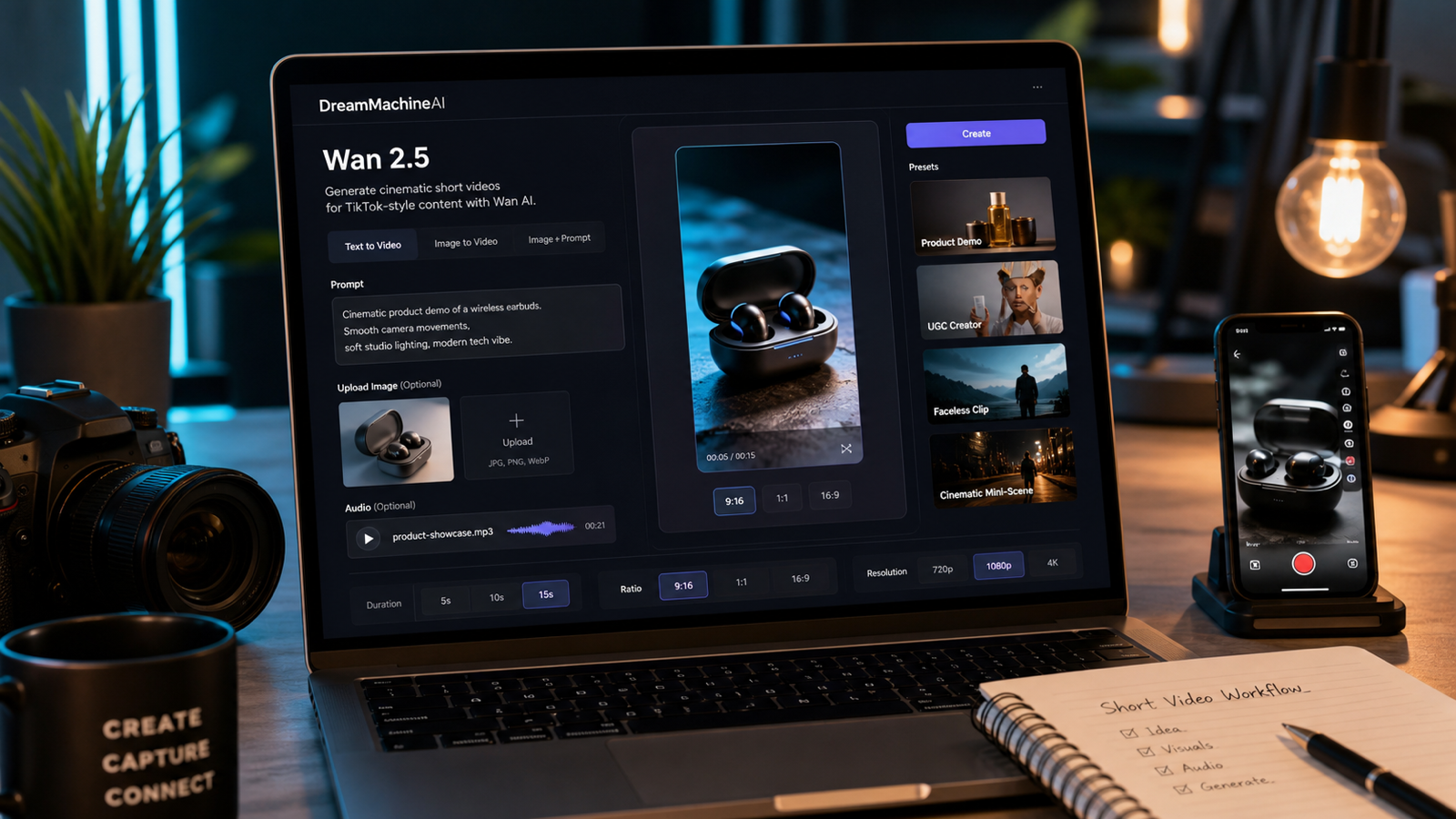
DreamMachineAI is a practical starting point because its Wan 2.5 AI Video Generator page gives creators a direct model workflow instead of making them hunt for access. At the time checked on June 11, 2026, the page displayed image upload, MP3 audio upload, prompt input, prompt optimization, model type, resolution, duration, and ratio controls, plus a visible generation credit action.
Use those controls as a workflow checklist. Upload a product photo or reference image when consistency matters, describe the action in the prompt, choose a vertical ratio for TikTok-style output, and keep duration realistic for one clear motion idea. The page describes Wan 2.5 as supporting text, image, video, and audio prompt workflows, but production details can change, so confirm the live interface before publishing a tutorial, pricing claim, or paid ad workflow.
DreamMachineAI also offers useful adjacent pages for testing different short-form styles. The Image to Video AI and Photo to Video pages fit product-photo animation and beginner reference-image workflows. The Seedance 2.0, Veo 3.1, and AI Squish Effect pages are better treated as optional tests when you want to compare motion style, playful effects, or cinematic polish.
Before relying on any one setting, verify current availability, credit cost, free access, resolution choices, duration limits, aspect ratios, watermark behavior, export limits, commercial-use terms, and upload privacy. These are product and policy details, so they should be checked on the live site instead of assumed from a past review.

Use This Wan AI TikTok Prompt Formula
Wan AI TikTok prompts work best when they describe the clip like a mini production brief. The model needs a subject, first-second hook, main action, camera movement, lighting, mood, audio direction, aspect ratio, and a short avoid list. That structure keeps the output focused and reduces the chance that the clip tries to do too much in 6 to 10 seconds.
Copy this reusable formula and replace the bracketed parts:
Create a [duration] vertical TikTok video with Wan 2.5. Subject: [person/product/object/scene]. Hook: [first 1-2 seconds visual hook]. Main action: [what happens]. Camera: [handheld close-up / slow push-in / orbit / top-down / tracking shot / low angle]. Lighting: [natural window light / studio / neon / golden hour / cozy indoor]. Mood: [UGC, premium, funny, satisfying, cinematic, cozy, dramatic]. Audio: [ambient sound / music cue / product sound / voiceover-ready / MP3 reference if uploaded]. Ratio: 9:16. Keep [product shape, face, outfit, label placement, color, layout] consistent. Avoid [fake logos, distorted hands, warped faces, unreadable text, exaggerated claims, unsafe likenesses, copyrighted characters].
Here are five copy-to-use examples for common short-form situations:
- Create an 8-second vertical TikTok video with Wan 2.5. Subject: a luxury skincare serum bottle on a clean bathroom counter. Hook: water droplets sparkle on the bottle in the first second. Main action: a hand picks it up and applies one drop to the back of the hand. Camera: handheld close-up push-in. Lighting: soft morning window light. Mood: clean, premium, natural UGC. Audio: soft bathroom ambience, voiceover-ready. Ratio: 9:16. Avoid fake skin claims, unreadable labels, and distorted fingers.
- Create a 10-second vertical TikTok product video with Wan 2.5. Subject: a travel backpack on a hotel bed. Hook: the zipper opens smoothly. Main action: packing cubes slide neatly into the backpack and the camera moves from overhead to a side angle. Lighting: warm hotel-room daylight. Mood: organized, practical, travel-ready. Audio: subtle zipper and fabric sounds. Ratio: 9:16. Avoid fake airline logos and changing the backpack shape.
- Create a 7-second Wan 2.5 TikTok clip for a ceramic coffee mug. Hook: steam rises from the mug in a cozy desk setup. Main action: the camera slowly pushes in while sunlight moves across the table. Lighting: warm morning light. Mood: cozy, aesthetic, handmade. Audio: soft cafe ambience. Ratio: 9:16. Avoid fake brand text and messy background.
- Create an 8-second Wan 2.5 fashion TikTok video from a reference outfit image. Keep the clothing design, color, and silhouette consistent. Hook: the model turns toward the camera as the coat moves naturally. Main action: slow walk through a rainy city street. Camera: low tracking shot. Lighting: neon reflections on wet pavement. Mood: stylish and cinematic. Ratio: 9:16. Avoid face distortion and changing outfit details.
- Create a 6-second satisfying TikTok video with Wan 2.5. Subject: a phone stand on a clean desk. Hook: a phone almost falls, then the stand opens and catches it. Main action: the phone locks in place and the desk becomes tidy. Camera: fast close-up push-in. Lighting: clean studio light. Mood: practical and satisfying. Ratio: 9:16. Avoid fake app logos and unreadable screen text.
The avoid line matters. TikTok product clips often fail when the prompt asks for too much: multiple transformations, complex hand movement, readable packaging text, and a dramatic camera move all at once. Remove anything that is not needed for the first draft.

Wan 2.5 TikTok Video Ideas for Products, UGC, Faceless Clips, and Mini Scenes
Wan 2.5 TikTok video ideas should match the format the creator can actually finish in an editor. Product demos, UGC-style clips, faceless videos, cinematic mini-scenes, and audio-supported visuals each need a different prompt style.
Product Demo Ideas
Use product demos when the object needs to be the star. Start with a close-up hook, then show one simple action such as opening, rotating, pouring, sliding, lifting, or revealing. For a TikTok ad draft, avoid claims such as "fixes acne" or "doubles productivity" unless your team has reviewed the claim and evidence.
Useful product demo prompts include a serum bottle with water droplets, a backpack zipper opening, white sneakers stepping into frame, a phone stand catching a phone, or a sports bottle rotating with a splash behind it. The product should stay visually consistent from start to finish.
UGC-Style Ideas
UGC-style Wan AI for social media videos works best when the scene feels casual and phone-native. A creator can point to subtitle-safe space, hold a product near the camera, open an earbud case, or demonstrate a routine in a bedroom, bathroom, desk, travel, or kitchen setting.
Prompt for natural handheld movement and voiceover-ready space. Avoid asking for a long spoken testimonial unless the workflow and review process can handle audio, identity, likeness, and brand-safety concerns.
Faceless TikTok Ideas
Faceless clips are a strong fit for AI short-form video generator workflows because they avoid some identity and performance risks. Try desk setup transformations, food or drink preparation, packaging close-ups, hands-only product demos, or a product moving through a clean scene.
The prompt should specify hands only when hands are necessary, then add a review step for fingers, product shape, and text. If the hands look distorted, trim the shot, regenerate with a simpler action, or switch to a product-only composition.
Cinematic TikTok Ideas
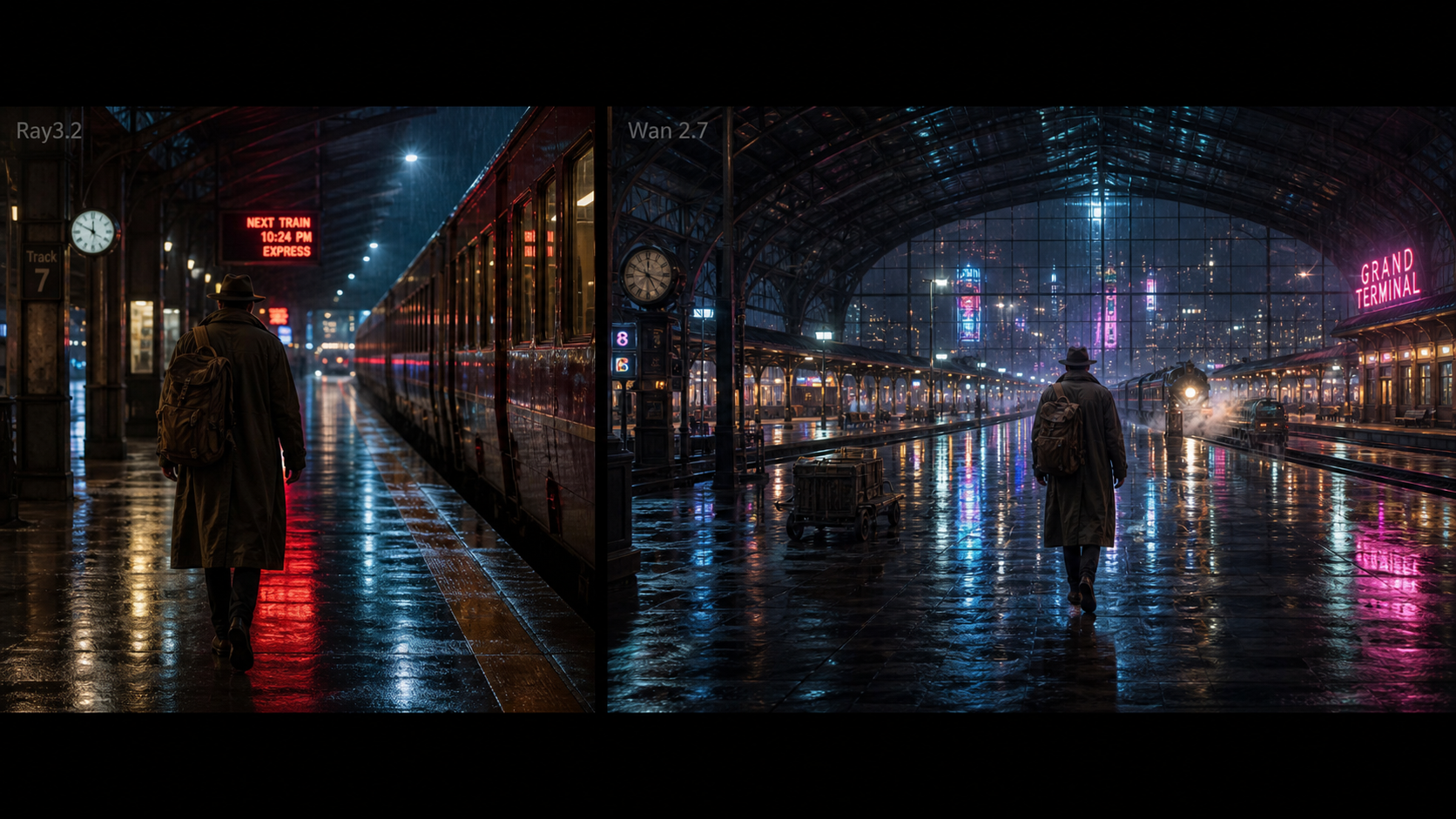
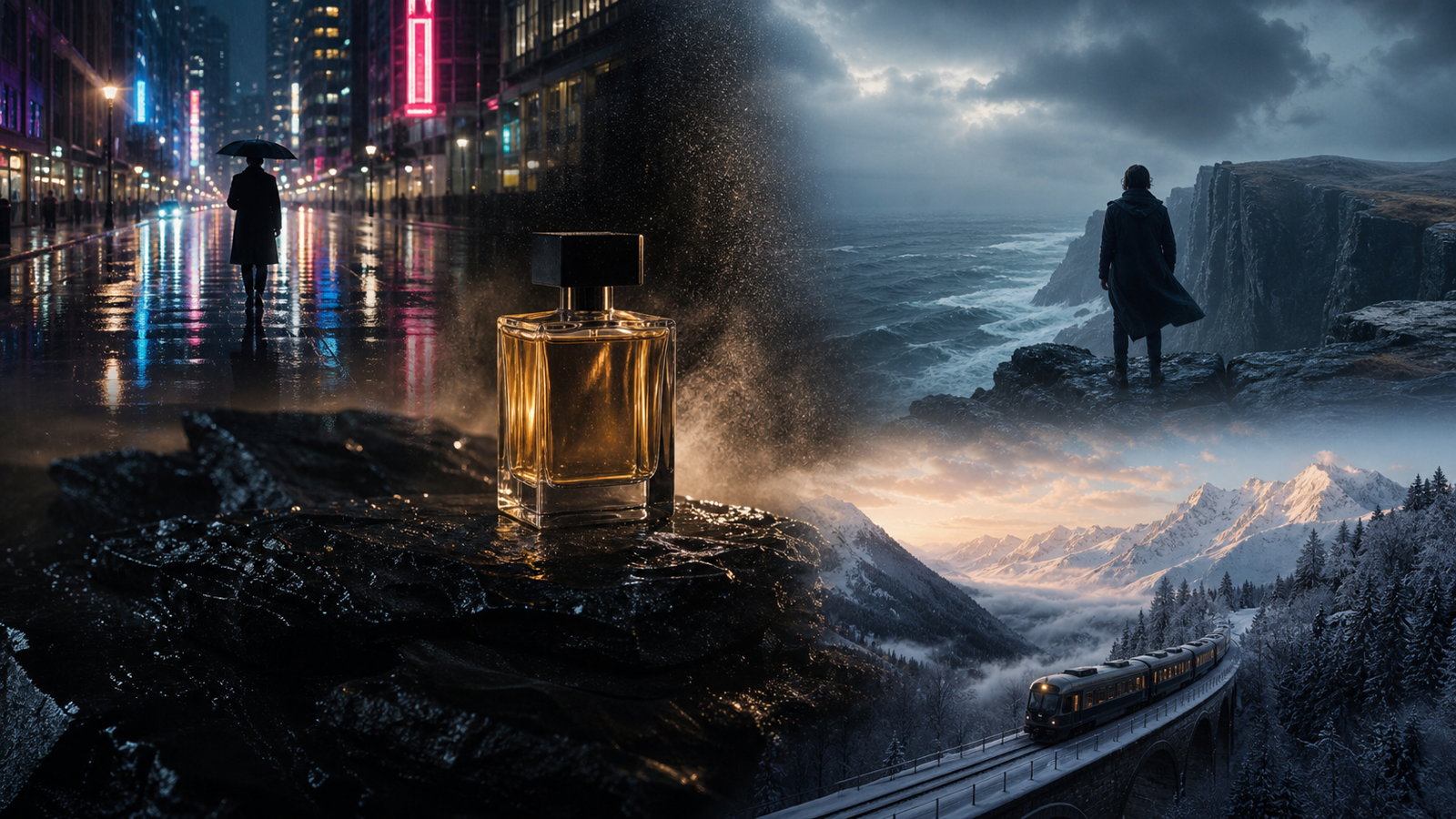
Cinematic mini-scenes help when the goal is mood, not detailed product instruction. Wan 2.5 can be tested for slow push-ins, neon street fashion walks, travel landscape animation from one image, fantasy object reveals, and compact short-film moments.
Keep cinematic prompts short. One subject, one camera move, and one environmental effect are usually enough for an 8 to 10 second draft.

Use Image to Video AI When Product Consistency Matters
Image to Video AI is the safer starting point when one product photo needs to become a TikTok-style clip. Uploading a source image gives the model a visual anchor for packaging shape, color, label placement, material, outfit, pose, or scene layout. That is especially important for ecommerce sellers, beauty brands, fashion creators, and product teams.
Use the DreamMachineAI Image to Video AI page when you want a general image-to-video workflow, then test the Wan 2.5 page when you specifically want Wan model behavior. For a beginner, the practical difference is simple: text-to-video is better for concept exploration, while image-to-video is better when visual continuity matters.
Write the prompt around what should stay unchanged. For example: "Keep the bottle shape, cap color, front label placement, and white ceramic counter consistent." Then add one main action: "camera slowly pushes in while water droplets sparkle." Avoid asking the product to transform into several new forms in the same short clip.
After generation, compare the output to the original image. Check packaging, label direction, color, material, hands, shadows, and background. If the product has legal claims, regulated uses, or paid ad requirements, review the finished edit with the right internal team before posting.

Add Audio Cues Carefully Instead of Expecting Perfect Sync
Wan 2.5 video with audio can support more engaging TikTok drafts, but audio direction should be simple and reviewable. Use audio cues for rhythm, ambience, product sounds, or voiceover-ready pacing rather than promising perfect lip sync, exact beat matching, or flawless sound design.
The Wan 2.5 page on DreamMachineAI showed MP3 upload support at the time checked, so a creator could use a short music reference, ambience track, or product-sound cue as part of a draft workflow. Still, treat audio as guidance for a creative draft. Final TikTok videos often need captions, music licensing checks, voiceover edits, cuts, and platform-specific sound choices.
Good audio-supported prompt phrases include:
- "Audio: soft cafe ambience, voiceover-ready."
- "Audio: subtle zipper and fabric sounds."
- "Audio: crisp product click, not loud."
- "Audio: gentle wind and water ambience."
- "Audio: MP3 reference for pacing; keep motion simple."
For ads, do not assume a generated or uploaded track is cleared for commercial use. Confirm music rights, product claims, creator likeness permissions, and platform policy before using the clip in paid media.

Review Every AI TikTok Video Before Publishing
AI TikTok videos should be reviewed like creative drafts, not final approvals. Before publishing, check hands, faces, product shape, text, logos, audio timing, caption-safe framing, and motion artifacts. A clip can look impressive at a glance and still fail because a label changes, a hand bends oddly, or a product claim appears visually stronger than intended.
Use this review checklist:
| Check | What to Look For | Fix |
|---|---|---|
| Product consistency | Shape, label placement, color, packaging, material | Use image-to-video, simplify action, regenerate |
| Hands and faces | Warping, unnatural fingers, identity risk | Crop, avoid close hand motion, use faceless version |
| Text and logos | Fake logos, unreadable labels, accidental claims | Remove text, use real approved assets in editing |
| Audio | Timing, volume, rights, music licensing | Replace or edit audio in a video editor |
| Captions | Subtitle-safe space and mobile readability | Reframe, add overlays after generation |
| Policy and rights | Likeness, product claims, platform rules, ad review | Get legal, brand, or platform review before paid use |
This step is especially important for AI video generator for TikTok ads workflows. An AI draft can speed up ideation, but it does not remove the need for human editing, rights checks, product-claim review, or brand approval.

Wan AI for TikTok FAQs
Is Wan AI good for TikTok videos?
Wan AI can be useful for TikTok drafts when the prompt is short, visual, and mobile-first. It is better for simple product motion, faceless clips, UGC-style scenes, and cinematic mini-scenes than for complex multi-shot stories with exact dialogue.
Can I create TikTok videos with Wan 2.5 from one product photo?
Yes, image-to-video is the most practical way to turn one product photo into a short TikTok concept. Upload the product image, explain what must remain unchanged, and request one main action such as a slow push-in, rotation, reveal, or hands-only demo.
Does Wan 2.5 support audio prompts?
The DreamMachineAI Wan 2.5 page displayed MP3 upload support when checked on June 11, 2026. Use audio for pacing, ambience, or simple product cues, then review timing and rights before publishing.
Can I use Wan AI videos for TikTok ads?
Possibly, but do not assume every generated clip is ready for paid use. Review commercial-use terms, watermark rules, export limits, music rights, product claims, privacy, likeness permissions, and TikTok ad policy before running a campaign.
What prompt length works best for Wan AI TikTok prompts?
Use a compact production brief. A good prompt names the subject, hook, action, camera, lighting, mood, audio cue, 9:16 ratio, consistency requirement, and avoid list. Long plot summaries usually perform worse than one clear motion idea.

Conclusion: Build a Repeatable Wan AI for TikTok Workflow
Wan AI for TikTok works best as a repeatable creative loop: plan the hook, choose text-to-video or image-to-video, write a focused Wan 2.5 prompt, generate a short vertical draft on DreamMachineAI, edit the result, and review it before publishing. That process gives creators, marketers, ecommerce teams, and short-form editors a practical way to test more video concepts without pretending that AI removes the need for judgment.
For product videos, start from a photo and ask for one clear action. For UGC-style clips, keep framing casual and subtitle-safe. For faceless content, use hands-only or product-only scenes. For cinematic mini-scenes, simplify the action and let lighting, camera movement, and mood do the work.
DreamMachineAI is worth testing because it gives direct access to the Wan 2.5 generator and related AI video tools in one place. Just keep the publishing bar high: captions, rights, claims, audio, platform fit, and brand approval still matter after the AI draft looks good.