If you’ve been experimenting with AI video lately, you’ve probably noticed something: most model comparisons are either too technical (pure spec sheets) or too vague (“it looks better!”). This guide is the middle path.
You’ll learn what WAN 2.6 actually upgrades over WAN 2.5, how to pick the right one for your project, and why WAN 2.5 on DreamMachineAI is still the best everyday choice for most creators.
Who this guide is for (and how to choose fast)
This article is for:
- Creators who want a clear, practical comparison between WAN 2.6 and WAN 2.5
- Marketers making short-form ads, UGC-style clips, and product videos
- Anyone who wants repeatable results—not endless rerolls
Here’s the quick rule of thumb:
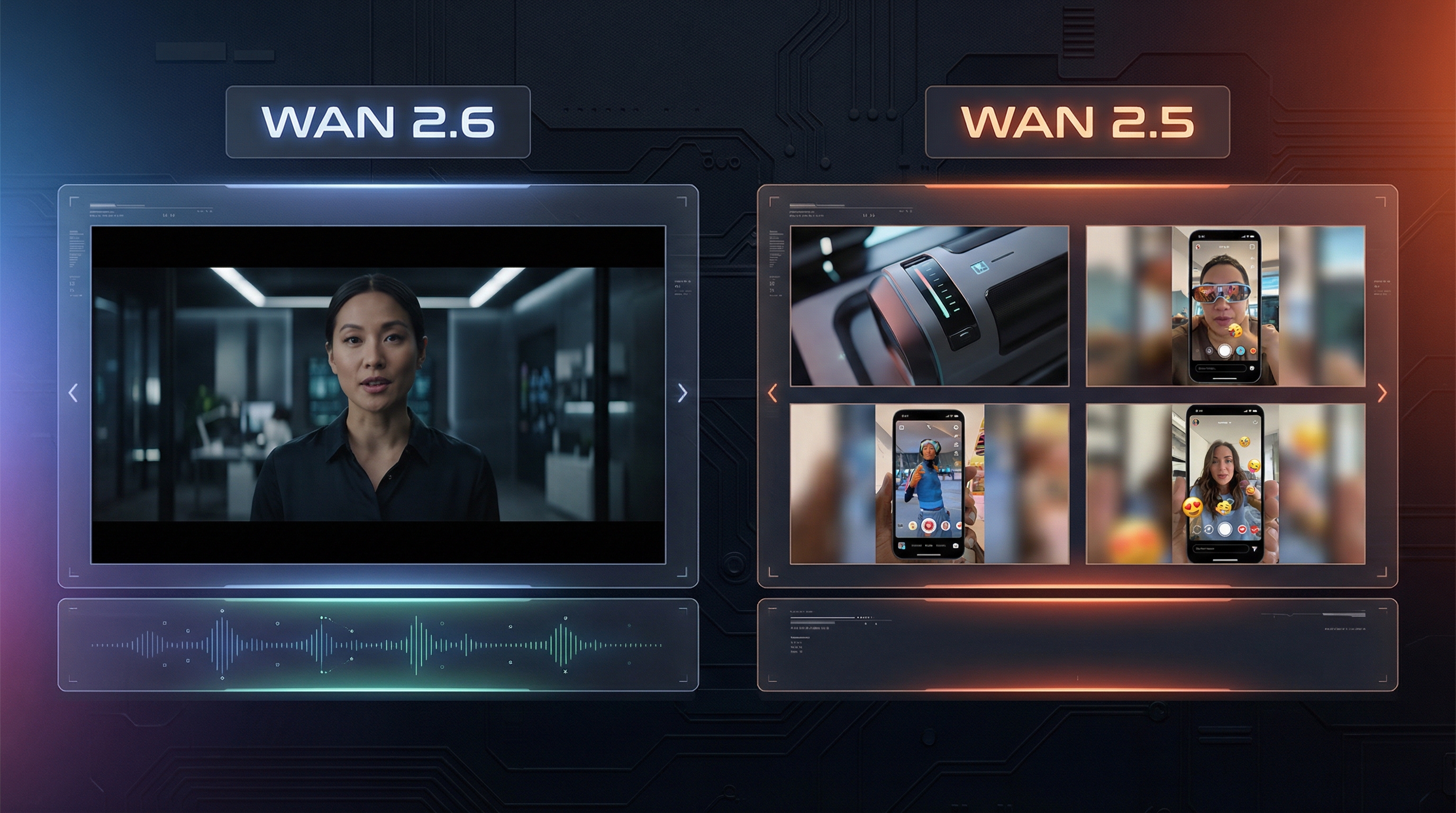
- If your video needs audio or speaking characters, pick WAN 2.6.
- If your priority is speed, stability, and cost-efficient iteration, start with WAN 2.5.
Most people don’t need the “maximum model” for every clip. They need the model that helps them create more usable drafts per hour.
WAN 2.6 overview: what actually changed
What is WAN 2.6?
WAN 2.6 is positioned as a more advanced WAN 2.6 AI video generator tier—built to handle more complex scenes with better continuity, and especially to do better when speech and performance are part of the output.
Think of it like this: WAN 2.6 leans toward higher-fidelity storytelling—where timing, expression, and longer continuity matter.
Key upgrades in WAN 2.6 (in plain English)
Here are the improvements people actually notice:
- Audio-aware generation: Better results when the video involves speaking or performance.
- Longer stability: Fewer “break” moments where faces drift, lighting flickers, or motion jitters.
- Stronger prompt interpretation: More reliable multi-step actions and clearer camera behavior.
- Improved identity consistency: Better at keeping a character’s look stable across a clip.
If you’re making talk-to-camera content, presenters, dialogue scenes, or anything that needs “acting,” WAN 2.6 is the upgrade that makes sense.
WAN 2.5 overview: why it still matters
What is WAN 2.5?
WAN 2.5 remains a fast and practical workhorse—especially if you’re producing short clips for ads, social content, product shots, or quick cinematic b-roll.
On a tool hub like DreamMachineAI, the biggest advantage is straightforward: you can generate more attempts, faster, and iterate confidently.
If you want an easy starting point, go straight to WAN 2.5 AI video generator.
Core strengths of WAN 2.5
WAN 2.5 still shines when you care about:
- Speed and iteration: You can test hooks, scenes, and angles quickly.
- Short-form reliability: It’s excellent when your output is 5–7 seconds.
- Clean baseline visuals: For most everyday work, WAN 2.5 video quality is already strong.
In other words: WAN 2.5 is what you use when you want to ship content, not just admire a demo.
WAN 2.6 vs WAN 2.5: feature-by-feature comparison
Audio and talking-head support
- WAN 2.6: Better when the clip is built around a person speaking, performing, or reacting.
- WAN 2.5: Best for silent visuals—b-roll, product shots, mood clips, action loops.
If your output is mostly “visual-first,” WAN 2.5 is often all you need.
Duration and stability
- WAN 2.6: Better continuity over longer sequences.
- WAN 2.5: Optimized for shorter clips with fewer stability issues—especially if you keep your prompt focused.
Motion handling
This is where a lot of creators get surprised.
- WAN 2.6 tends to produce smoother cinematic flow when you describe camera moves.
- WAN 2.5 can be easier to control for simple motion—because it’s less likely to “get creative” on you.
If you need predictable movement (especially for product shots), WAN 2.5 motion control is still a very practical choice.
Use-case guide: when to use each model
Best use cases for WAN 2.6
Use WAN 2.6 when the upgrade clearly matters:
- Talking-head / presenter videos
- Dialogue moments where expression and timing matter
- Emotion-forward closeups
- Cinematic storytelling with complex camera movement
If you’ve ever generated a clip where the face looked great at second 1… and weird at second 4, WAN 2.6 is the kind of upgrade that helps.
Best use cases for WAN 2.5
WAN 2.5 is the best daily driver for:
- WAN 2.5 text to video: ad concepts, hooks, rough storyboards, quick scene tests
- WAN 2.5 image to video: animating products, artwork, portraits, thumbnails, keyframes
- Short-form content for TikTok/Reels/Shorts
- Rapid A/B tests for angles, styles, and pacing
If your creative workflow is “make 10 drafts, pick the best 2,” WAN 2.5 fits that mindset.
Hands-on workflow: using WAN 2.5 effectively
Most users get better results not by “prompting harder,” but by using a simple workflow.
Understanding common settings (so you don’t accidentally sabotage quality)
In a typical interface, you’ll see options like:
- Model selection (for example, a fast variant)
- Resolution (720p is often a good default)
- Duration (5 seconds is a sweet spot for stability)
- Aspect ratio (16:9 for YouTube, 9:16 for Shorts)
- Public/private toggle
A very practical default for most experiments is: 720p + 5s + the right ratio for your platform.
Text-to-video workflow (simple and reliable)
When you write prompts for WAN 2.5 text to video, aim for clarity over poetry.
A good prompt structure is:
- Subject: who/what is in the scene
- Action: what happens in the clip
- Camera: how it’s shot
- Environment: where it takes place
- Lighting + style: the finishing layer
If you keep those in that order, the model usually behaves better.
Image-to-video workflow (protect the subject first)
For WAN 2.5 image to video, your reference image does half the work.
To get cleaner results:
- Use a sharp image with clear lighting and a readable subject
- Avoid heavy clutter in the background (it can “melt” during motion)
- Add motion in a controlled way: “slow camera push-in,” “gentle head turn,” “subtle cloth movement”
If your goal is product video, keep motion minimal and intentional.
Practical WAN 2.5 prompt strategies
A simple WAN 2.5 prompt guide you can reuse
Here are three templates you can copy/paste and tweak.
Template 1: Clean product ad (studio)
Prompt: A premium product on a clean studio table, slow rotating turntable, soft diffused lighting, crisp reflections, shallow depth of field, slow camera push-in, commercial product video.
Template 2: UGC-style handheld (social)
Prompt: A person holding a product in a bright room, casual handheld camera, small natural movements, realistic lighting, authentic social video style, subtle background blur, 5-second hook shot.
Template 3: Cinematic b-roll (brand mood)
Prompt: A close-up cinematic shot of a product in an atmospheric setting, slow dolly movement, soft volumetric light, detailed textures, shallow depth of field, film-like mood, smooth motion.
How to improve results without overprompting
If you’re not happy with outputs, try these fixes before adding more adjectives:
- Replace vague words (“cool,” “beautiful,” “nice”) with camera words (“slow dolly,” “top-down,” “macro close-up”).
- Describe one main action. Too many actions cause chaos.
- Add style last. If the subject is unstable, “cyberpunk neon” won’t save it.
Quality checklist: how to judge results quickly
When you’re testing outputs, check these four things:
- Motion coherence: any jitter, stutter, or warping?
- Identity stability: face, hair, outfit, and product details staying consistent?
- Lighting continuity: flicker, shadow jumps, color shifts?
- Scene logic: hands and objects behaving plausibly?
If a clip passes all four, it’s usually “edit-ready.”
Recommendation: why WAN 2.5 on DreamMachineAI is a smart default
For most creators, the best workflow is:
- Prototype quickly with WAN 2.5
- Pick the best concept
- Only jump to WAN 2.6 when you specifically need audio, speaking, or longer continuity
That’s why WAN 2.5 AI video generator is such a strong “everyday model” choice: you get speed, consistency, and practical output for real content pipelines.
FAQ (search-driven)
Is WAN 2.6 worth it if I don’t need audio?
Sometimes—but only if your scenes are longer, more complex, or you’re fighting stability issues.
When is WAN 2.5 “good enough”?
If your clip is short-form, visual-first, and you’re iterating a lot, WAN 2.5 is more than good enough.
What are the best settings for social videos?
Start with 720p, 5 seconds, and pick your platform ratio (9:16 for Shorts, 16:9 for YouTube).
How do I get more consistent image-to-video results?
Use a clean reference image, keep motion subtle, and describe one action with one camera move.
If you want, tell me your target format (UGC ad, product demo, anime, influencer, cinematic b-roll), and I’ll tailor a mini prompt pack specifically for that style using WAN 2.5.